Running a retail store without proper stock control is like driving with your eyes closed – you’re bound to hit a wall sooner or later. Whether it’s shelves running empty during peak footfall or godowns overflowing with dead stock, poor inventory control quietly drains profits every single day. This is exactly why more retailers across India are investing in inventory management software to bring accuracy, speed, and visibility into their stock operations.
In this guide, we’ll break down what retail inventory management software actually does, the features that matter most, the real business benefits it delivers, and a practical framework to help you choose the right solution for your store or multi-outlet chain.
What Is Retail Inventory Management Software?
Retail inventory management software is a digital system that tracks products as they move through your business – from the moment they’re purchased from a vendor to the moment they’re sold to a customer. Instead of relying on manual registers, spreadsheets, or guesswork, the software gives you a live, accurate picture of exactly what’s in stock, where it’s located, and when it needs to be reordered.
For growing retailers, this isn’t just a “nice to have” anymore. As stores add more SKUs, more locations, and more sales channels, manual tracking becomes impossible to sustain. A dedicated stock management software solution takes over this complexity, automating tasks that used to consume hours of staff time every week.
If you’re still relying on manual ledgers, it’s worth reading our detailed guide on inventory management tips for grocery and supermarket stores to understand the common pitfalls before you make the switch.
Why Retailers Can No Longer Ignore Inventory Software
Retail margins are thin, and every rupee tied up in the wrong stock is a rupee that isn’t working for you. Here’s what happens without a proper system in place:
- Best-selling products go out of stock during peak demand, sending customers straight to competitors.
- Slow-moving items pile up, tying up cash and warehouse space.
- Staff waste hours doing manual stock counts that are outdated the moment they’re finished.
- Billing errors and pilferage go unnoticed until it’s too late – a problem we’ve covered in depth in our article on reducing retail shrinkage with the right prevention tools.
A dedicated retail inventory software system solves all of this by giving you real-time, centralized control – whether you run a single grocery store or a chain of supermarkets.
Key Features to Look For in Retail Inventory Management Software
Not all inventory tools are built the same. When evaluating options, look closely at the following core features.
1. Real-Time Stock Tracking
The single most important feature of any inventory management software is real-time visibility. Every sale, return, or transfer should instantly update your stock levels across all locations – not just at the end of the day. This eliminates the guesswork of “do we actually have this in stock?” and prevents overselling, especially if you also sell online.
2. Automated Reordering & Low-Stock Alerts
Good software doesn’t just show you what’s low – it tells you before you run out. Automated reorder points and purchase alerts ensure you replenish fast-moving items on time, without over-ordering slow sellers. This directly ties into your purchase and procurement software, and if you want a deeper look at how the two work together, check out our guide on purchase and procurement management for retail businesses.
3. Multi-Location & Multi-Store Sync
If you operate more than one outlet, your inventory software needs to sync stock data across all locations in real time. This lets you transfer stock between stores instead of over-ordering for each one individually. Retailers scaling beyond a single location should read our guide on managing a multi-store retail chain with one software system for a complete rollout approach.
4. Barcode & SKU-Level Tracking
Barcode scanning speeds up stock counts, reduces manual entry errors, and makes billing faster at the counter. SKU-level tracking also means you know exactly which size, color, or batch of a product is selling – critical for fashion, grocery, and FMCG retailers.
5. Batch & Expiry Management
For grocery, pharmacy, and FMCG stores, tracking batch numbers and expiry dates is non-negotiable. The right software flags near-expiry stock automatically, helping you run timely discounts instead of writing off dead inventory.
6. Integration With POS and Billing
Your inventory system should talk directly to your POS software so that every sale automatically updates stock counts without manual reconciliation. This tight integration is what separates a true retail ERP from a basic spreadsheet replacement.
7. Reporting & Analytics
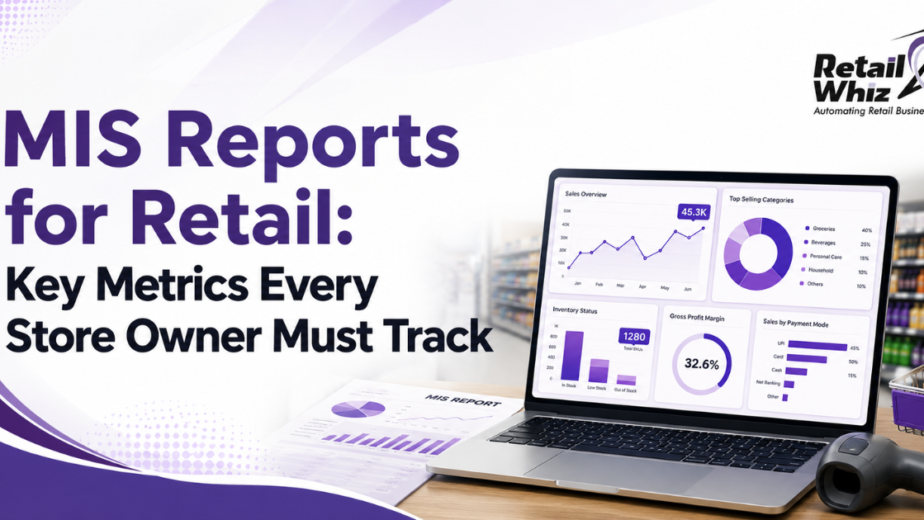
Detailed reports on fast/slow-moving items, stock aging, and category-wise performance help you make smarter purchasing decisions. This connects closely with MIS and analytics capabilities – our article on MIS reports and the key metrics every store owner must track goes into this in more detail.
8. GST-Ready Billing
For Indian retailers, your inventory data must feed directly into GST-compliant invoices. Explore our dedicated GST billing software guide for retail businesses to understand what compliance-ready systems look like.
Benefits of Using Retail Inventory Management Software
Reduced Stockouts and Overstocking
With real-time data and automated alerts, you stock exactly what you need – no more, no less. This keeps shelves full of what customers actually want while freeing up capital that would otherwise be locked in excess inventory.
Significant Cost Savings
Less dead stock, fewer emergency purchases, and reduced pilferage all add up to healthier margins. Many retailers see a measurable drop in wastage within the first few months of adopting a proper inventory management software system.
Faster, More Accurate Billing
When inventory and billing are connected, checkout becomes faster and more accurate. This is especially valuable during peak hours – a topic we cover extensively in our post on reducing checkout time in a supermarket.
Better Purchasing Decisions
With clear visibility into what’s selling and what isn’t, purchase managers can negotiate better with vendors and avoid impulsive restocking decisions.
Time Savings for Staff
Automating stock counts, reorder alerts, and reconciliation frees up staff time that can be redirected toward customer service and sales – rather than manual paperwork.
Scalability as You Grow
Whether you’re opening a second outlet or expanding into a full retail chain, cloud-based inventory software scales with you, giving you centralized control without needing to overhaul your systems every time you grow.
How to Choose the Right Retail Inventory Management Software
With dozens of options in the market, here’s a practical checklist to guide your decision:
1. Match It to Your Business Type
A hypermarket has very different inventory needs than a boutique or pharmacy. Choose software that’s built (or configurable) for your specific retail category.
2. Check Integration Capabilities
Make sure the software integrates smoothly with your POS software, procurement tools, payment gateways, and accounting systems. Poor integration creates data silos that defeat the purpose of automation.
3. Evaluate Ease of Use
Your staff will use this system daily. A cluttered, complicated interface leads to errors and resistance to adoption. Look for a clean, intuitive dashboard.
4. Look for Multi-Store Readiness
Even if you run a single store today, choose a system that can support multiple locations later, so you’re not forced to migrate platforms as you grow.
5. Prioritize Real-Time Cloud Access
Cloud-based systems let you check stock levels and reports from anywhere – a must for owners managing operations remotely or across multiple outlets.
6. Confirm Vendor Support & Training
Software is only as good as the support behind it. Check whether the vendor offers onboarding, training, and ongoing technical support after go-live.
7. Assess Total Cost of Ownership
Look beyond the subscription price – factor in setup costs, training, hardware requirements, and support fees to understand the true long-term cost.
8. Read Implementation Timelines
A rushed rollout can disrupt operations. Understanding the full implementation process in advance helps set realistic expectations – our step-by-step retail ERP implementation guide walks through exactly what to expect.
How RetailWhizz Helps
At RetailWhizz, our Inventory Management Software is built specifically for Indian retailers – from single grocery stores to large multi-outlet chains. It comes fully integrated with our POS Software, Purchase & Procurement Software, and MIS & Analytics tools, giving you a single, unified system instead of disconnected point solutions.
We also support the entire journey – from Retail ERP Implementation and Retail Data Migration to ongoing Retail Software Support, so your team is never left figuring things out alone.
Conclusion
Retail inventory management software isn’t just about knowing what’s on your shelves – it’s about running a leaner, more profitable business. From reducing stockouts and shrinkage to enabling faster billing and smarter purchasing, the right system pays for itself many times over. As you evaluate options, focus on real-time tracking, seamless POS and procurement integration, multi-store readiness, and strong vendor support – these are the factors that separate a good investment from a wasted one.
If you’re ready to see how a purpose-built system can transform your store’s operations, get in touch with RetailWhizz for a free demo.
Frequently Asked Questions (FAQs)
1. What is the main purpose of retail inventory management software?
Its main purpose is to give retailers real-time visibility into stock levels, automate reordering, and reduce errors caused by manual tracking – helping prevent both stockouts and overstocking.
2. Is inventory management software only useful for large retail chains?
No. Even single-store retailers benefit significantly, since the software reduces wastage, speeds up billing, and saves hours of manual stock-counting time regardless of business size.
3. Can inventory management software integrate with my existing POS system?
Yes, most modern solutions, including RetailWhizz, are designed to integrate directly with POS software so that sales automatically update stock counts in real time.
4. How much does retail inventory management software typically cost in India?
Pricing varies based on the number of outlets, users, and features required. Most vendors offer tiered subscription plans, so it’s best to request a customized quote based on your store’s specific needs.
5. How long does it take to implement inventory management software?
Implementation timelines depend on business size and data complexity, but a single-store rollout can typically be completed within a few weeks, including data migration, staff training, and go-live support.