Walk into any successful supermarket, pharmacy, or fashion outlet today and you’ll find one thing in common: a barcode inventory system quietly running in the background. It’s the technology that lets a cashier scan a product in under a second, updates stock counts in real time, and gives store owners the confidence that what’s on the shelf actually matches what’s in the system.
For retailers still relying on manual stock registers or spreadsheets, stock mismatches, billing errors, and lost sales are everyday realities. A barcode inventory management system solves these problems by automating how products are tracked, counted, and sold – from the moment stock enters the warehouse to the second it’s billed at checkout.
In this guide, we’ll break down what a barcode inventory system is, how it actually works, the types of barcodes used in retail, and why it has become a non-negotiable part of modern retail inventory management software.
What Is a Barcode Inventory System?
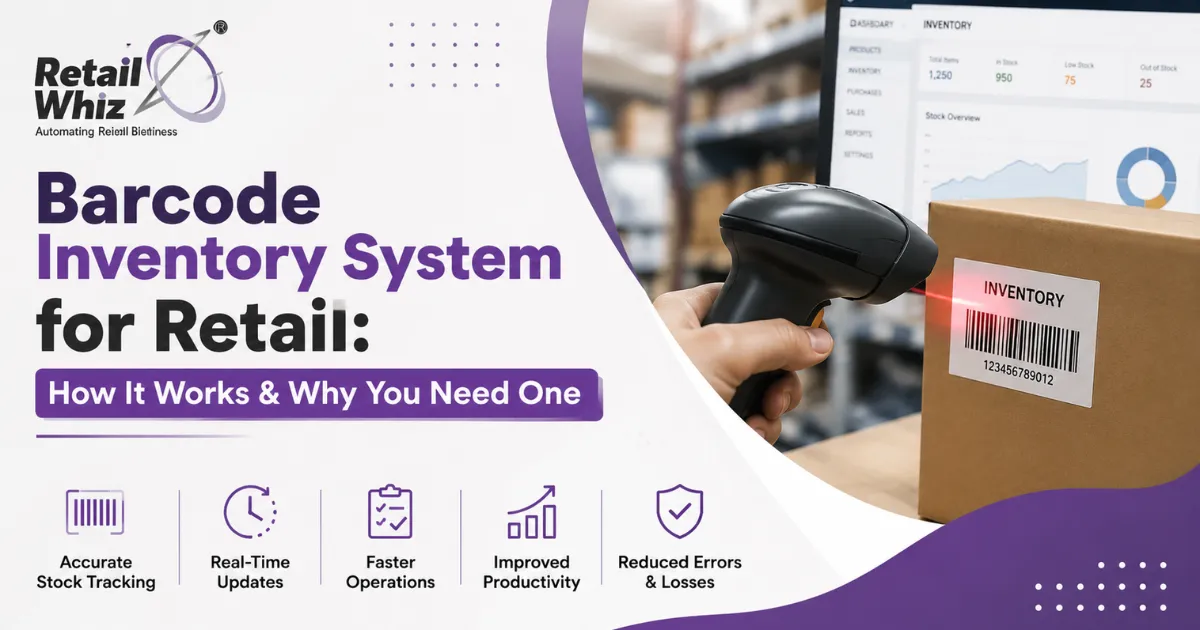
A barcode inventory system is a combination of hardware (barcode scanners, printers, and labels) and software (inventory management software) that uses unique barcodes to identify, track, and manage products throughout the retail supply chain.
Each product is assigned a unique barcode – a machine-readable pattern of lines or a QR-style grid – that’s linked to a database entry containing details like product name, SKU, price, category, batch number, and current stock quantity. When a barcode is scanned at any point – receiving, transfer, sale, or return – the system automatically updates the inventory count, eliminating the need for manual stock entry.
This is the backbone of almost every modern inventory management software solution used by supermarkets, grocery stores, and multi-outlet retail chains.
How Does a Barcode Inventory System Work?
A barcode-based inventory workflow typically follows these stages:
1. Barcode Generation and Labeling
Every new product (or SKU) is assigned a unique barcode, either supplied by the manufacturer (like a UPC or EAN code) or generated internally by the retailer’s software. Barcode labels are then printed and attached to products, shelves, or cartons.
2. Stock Receiving and Goods Inward
When new stock arrives, staff scan the barcodes on incoming cartons or products. The system automatically logs quantities against purchase orders, updating stock levels instantly – a process closely tied to purchase and procurement software.
3. Point-of-Sale (POS) Billing
At checkout, the cashier scans each item’s barcode using a handheld or fixed scanner connected to the POS software. The system pulls the price and product details instantly, generates the bill, and deducts the sold quantity from livestock – all within seconds.
4. Real-Time Stock Updates
Every scan – whether a sale, return, transfer between stores, or stock adjustment – updates the central inventory database in real time. This gives retailers an accurate, up-to-the-minute view of stock across single or multiple locations.
5. Reporting and Analytics
The data collected through barcode scans feeds into dashboards and reports, helping owners track fast/slow-moving items, reorder points, and shrinkage – a function usually powered by MIS and analytics tools built into retail ERP platforms.
Types of Barcodes Used in Retail
Not all barcodes are the same. Retailers typically encounter:
- UPC (Universal Product Code): The standard 12-digit barcode used on most retail products in the US and increasingly in India.
- EAN (European Article Number): A 13-digit barcode widely used internationally, including by Indian retailers and FMCG brands.
- Code 128: A high-density barcode used for shipping, logistics, and warehouse tracking.
- Code 39: Common in inventory and asset tracking within warehouses.
- QR Codes: Two-dimensional codes that store more data (price, batch, expiry, even payment links) and are increasingly used for loyalty programs, digital receipts, and mobile scanning.
A good barcode inventory system for retail supports multiple barcode formats so it can handle everything from packaged FMCG goods to loose weighted items and private-label products.
Why Your Retail Business Needs a Barcode Inventory System
1. Fewer Errors, Better Accuracy
Manual entry is prone to typos and miscounts. Barcode scanning removes human error from billing and stock updates, ensuring your inventory records reflect reality.
2. Faster Billing and Shorter Queues
Scanning a barcode takes a fraction of a second compared to manually searching for a product and entering its price. This directly reduces checkout time and improves the customer experience – especially critical for high-footfall stores like supermarkets and grocery stores.
3. Real-Time Stock Visibility
With barcodes, you always know exactly how much stock you have, where it is, and when it needs to be reordered – reducing both stockouts and overstocking.
4. Reduced Shrinkage and Theft
Since every unit is tracked from receiving to sale, discrepancies between recorded and physical stock become easy to spot, helping identify shrinkage, pilferage, or billing fraud early.
5. Simplified Multi-Store Management
For retailers running multiple outlets, barcode systems integrated with a central retail ERP make it possible to track stock transfers, compare performance across stores, and maintain consistent pricing everywhere.
6. Better GST and Tax Compliance
Barcode-linked billing ensures accurate tax calculation on every sale, simplifying reporting and audits – an area closely connected to GST and compliance requirements for Indian retailers.
If you want a deeper look at how automated billing supports compliance, this guide on GST billing software for retail shops is a useful read.
7. Data-Driven Decision Making
Every scan generates data – best-sellers, dead stock, peak sale hours, category-wise performance. This data powers smarter purchasing, pricing, and promotional decisions.
Barcode System vs. Manual Inventory Management
| Aspect | Manual Inventory | Barcode Inventory System |
| Billing speed | Slow, manual lookup | Instant scan-and-bill |
| Accuracy | Prone to human error | Near-zero error rate |
| Stock visibility | Periodic, delayed | Real-time |
| Multi-store tracking | Extremely difficult | Centralized and automated |
| Reporting | Manual compilation | Automated dashboards |
| Scalability | Limited | Easily scales with business growth |
Key Features to Look for in Barcode Inventory Software
When choosing a barcode inventory system for your retail store, look for:
- Support for multiple barcode formats (UPC, EAN, Code 128, QR)
- Seamless integration with your POS and billing system
- Real-time, multi-location stock synchronization
- Automated low-stock and reorder alerts
- Built-in reporting and analytics
- GST-compliant billing
- Compatibility with handheld and fixed barcode scanners
- Cloud-based access for remote monitoring
Platforms that combine all of this – barcode scanning, billing, procurement, and analytics – under one retail ERP tend to deliver far more value than standalone barcode tools bought in isolation. If you’re comparing platforms, this roundup of the best POS software for retail stores in India covers how barcode-driven billing fits into a broader retail tech stack.
How to Implement a Barcode Inventory System in Your Store
- Audit your current inventory process to identify gaps in stock tracking and billing.
- Choose retail inventory management software that supports barcode scanning natively.
- Assign barcodes to every SKU, using manufacturer codes where available.
- Invest in scanners and label printers suited to your store size and product range.
- Train your staff on scanning workflows for receiving, billing, and stock transfers.
- Go live in phases – starting with one category or store before scaling across your business.
Retailers who want a smoother rollout often rely on professional retail ERP implementation support to configure barcode mapping, integrate POS hardware, and migrate existing stock data without disruption. If you’re moving from a legacy system, retail software customisation and integration services can help connect your barcode setup with existing accounting or ERP tools.
Who Benefits Most from Barcode Inventory Systems?
While every retail format benefits, the impact is especially significant for:
- Supermarkets and grocery stores, where SKU volume is extremely high
- Pharmacies, where batch and expiry tracking is critical for compliance
- Fashion and lifestyle retailers, managing size and variant-level stock
- Multi-store chains, needing centralized visibility across locations
Final Thoughts
A barcode inventory system isn’t just a convenience – it’s a foundational tool for accurate stock control, faster billing, and data-driven retail growth. As competition and customer expectations rise, retailers who still depend on manual counting risk losing money to errors, theft, and inefficiency that are entirely preventable with the right technology.
If you’re ready to move from manual inventory chaos to a real-time, barcode-driven system, get in touch with RetailWhizz for a free demo tailored to your store’s needs.
Frequently Asked Questions (FAQs)
1. What is a barcode inventory system used for in retail?
It’s used to track, count, and manage stock automatically by scanning product barcodes at every stage – receiving, billing, transfers, and returns – instead of recording data manually.
2. Do small retail stores need a barcode inventory system?
Yes, Even small stores benefit from faster billing, fewer stock errors, and better visibility into what’s selling – advantages that scale with the business as SKU count grows.
3. What equipment do I need to set up a barcode inventory system?
You’ll need barcode scanners (handheld or fixed), a label printer for generating barcodes, and inventory management software or a retail ERP that supports barcode-based tracking.
4. Can a barcode inventory system work across multiple store locations?
Yes, when integrated with a centralized retail ERP, barcode data syncs in real time across all outlets, giving owners a single, unified view of stock everywhere.
5. How does a barcode inventory system help with GST compliance?
Since prices and tax rates are linked directly to each barcode, billing is automatically accurate, reducing manual tax calculation errors and simplifying GST reporting and audits.