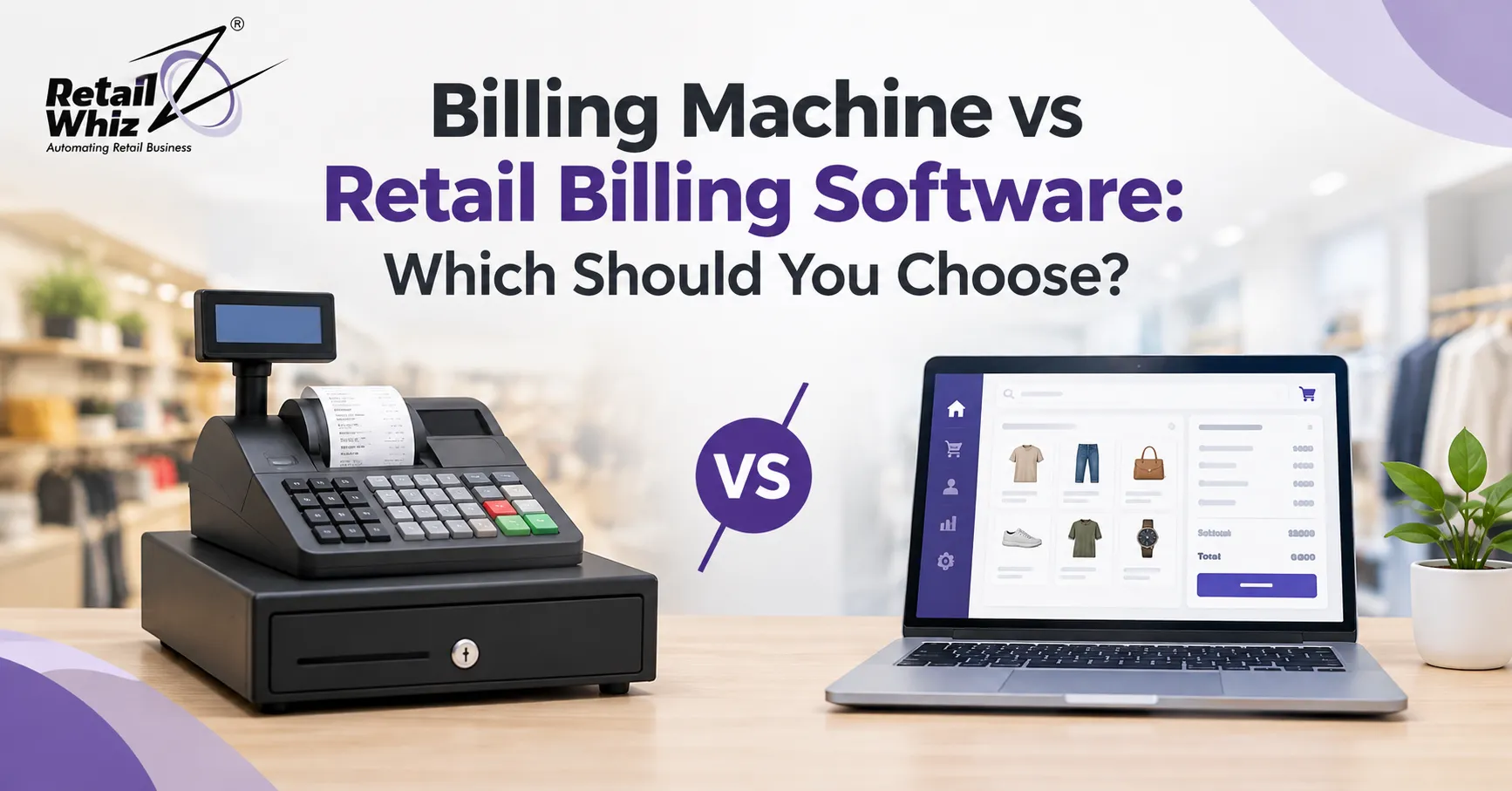
Every retail owner reaches the same decision sooner or later: how should I bill my customers? For decades the answer was a simple billing machine on the counter. Today, retail billing software has become the preferred choice for shops of every size, from a neighbourhood grocery store to a multi-outlet supermarket chain.
So which one is right for you? A basic billing machine is cheap and easy to start with. Retail billing software costs more, but it also tracks stock, handles GST and shows you what is actually making money. In this guide, we compare both options on cost, speed, GST compliance, inventory control, reporting and scalability. By the end, you will know which one fits your store.
What Is a Billing Machine?
A billing machine is a standalone hardware device. It is also called a billing printer, handheld billing device or electronic cash register. It prints a receipt for each sale and records the transaction in limited internal memory.
Most billing machines include a small display, a keypad and a built-in thermal printer. Some models connect to a barcode scanner or a cash drawer. They are popular in small shops because they are simple to use, need very little training and work without a computer.
Typical features of a billing machine:
- Basic bill printing with item name, quantity and price
- Limited product memory
- Daily sales totals
- Simple tax calculation
- Cash drawer connection in some models
The main limitation is that the device only does what its built-in firmware allows. Most models cannot track stock in real time, create detailed reports or connect with other business systems.
What Is Retail Billing Software?
Retail billing software is a computer or cloud application that manages the full sales process. It creates invoices, applies taxes and discounts, accepts payments and updates stock the moment a sale happens. It runs on a desktop, laptop, tablet or smartphone and works with a barcode scanner, receipt printer and cash drawer.
Modern billing software for a retail shop does much more than print a bill. It acts as the control centre of your store. It records every sale, tracks every product and gives you reports that help you decide what to buy, what to discount and when to reorder.
If you want to see how billing fits inside a complete retail system, explore our POS software for retail stores, which combines fast billing, stock updates and reporting in one platform.
Billing Machine vs Retail Billing Software: Key Differences
The table below gives a quick view of how the two options compare.
| Feature | Billing Machine | Retail Billing Software |
| Upfront cost | Low | Moderate |
| Setup time | Very quick | Quick with proper guidance |
| Inventory tracking | Basic or none | Real time and detailed |
| GST billing | Limited | Fully automated |
| Reports and analytics | Minimal | Detailed and exportable |
| Multi-store support | Not available | Available |
| Customer data and loyalty | Not available | Available |
| Data backup | Often manual | Automatic |
| Scalability | Low | High |
| Software updates | Rare | Regular |
Let us look at each area in more detail.
1. Cost and Budget
A billing machine wins on upfront price. You buy the device, load some rolls of thermal paper and start billing. For a very small stall or a single-counter shop with a few products, this can be enough.
Retail billing software has a higher upfront price, but the picture changes over time. Billing machines often need replacement when they run out of memory, break down or fall behind tax rule changes. Software keeps growing with your business. You can add users, counters and branches without replacing the whole setup.
When you compare billing software price against a billing machine, include the hidden costs of the machine too. These include manual stock counting, billing errors, lost sales from stockouts and hours spent on tax filing.
2. Billing Speed and Accuracy
Speed at the counter directly affects customer satisfaction. A billing machine is fast for a small number of items, but it relies on the cashier to type prices or pick from a short list.
Retail billing software uses barcode scanning, so every item is billed in seconds with the correct price. It also handles split payments, bill holds, returns, exchanges and item-level discounts without slowing down. This reduces queues, especially during festivals, weekends and sale periods.
3. GST Billing and Compliance
For Indian retailers, GST compliance is not optional. Every invoice needs correct tax rates, HSN codes and proper formatting. A simple billing machine can calculate tax at a basic level. However, it usually cannot manage multiple tax slabs, generate GST-ready reports or support e-invoicing smoothly.
Good GST billing software applies the right tax automatically and keeps a clean record for your accountant. It also reduces the risk of mismatches during return filing. To understand exactly what to look for, read our complete guide on GST billing software for retail shops, which explains features, benefits and compliance tips in detail.
4. Inventory Management
This is where the gap between the two options becomes very large.
A billing machine tells you what you sold today. It rarely tells you what is left on your shelves. Owners end up counting stock by hand, which is slow and error-prone.
Retail billing software with inventory management updates stock after every sale. It sends low stock alerts, tracks expiry dates and batch numbers, supports purchase entries and highlights fast-moving and slow-moving products. For a grocery store, pharmacy or apparel shop, this alone can justify the switch.
5. Reports and Business Insights
Most billing machines print a daily total and little else. You will not easily learn which product earns the highest margin, which cashier handles the most bills or which day of the week is busiest.
Retail billing software turns your sales into usable data. You can view:
- Daily, weekly and monthly sales reports
- Product-wise and category-wise profit
- Stock valuation and ageing
- Customer purchase history
- Cashier performance
- Tax summaries
These insights help you plan purchases, set better prices and find leaks in your business before they grow.
6. Multi-Store and Scalability
If you plan to open a second outlet, a billing machine quickly becomes a problem. Each device works on its own, so sales and stock data stay in separate places. You must collect and merge data manually.
Retail billing software connects every counter and every branch to one central system. You can view all locations from your phone, transfer stock between stores and apply the same pricing rules everywhere. This is why growing retailers move to software early rather than waiting for the problem to become expensive.
7. Customer Management and Loyalty
Repeat customers are the backbone of retail. Billing software can store customer details, purchase history and preferences. It can also apply loyalty points, coupons and special offers at the counter. A billing machine cannot do any of this in a meaningful way.
8. Data Safety and Reliability
A billing machine stores data in its own memory. If the device is damaged, stolen or stops working, you may lose your sales history. Retail billing software offers automatic backups, user permissions and audit trails. Your data stays safe even if a computer fails.
When Should You Choose a Billing Machine?
A billing machine can still make sense in a few situations:
- You run a very small stall or kiosk with a limited product range
- Your daily bills are few and your tax needs are simple
- You have no plan to expand soon
- You need a quick, temporary setup for an event or a pop-up counter
Even then, think carefully about growth. A machine that works today can become a limit within a year.
When Should You Choose Retail Billing Software?
Retail billing software is the better choice if:
- You sell more than a few dozen products
- You want accurate GST billing and clean tax records
- You need real time stock tracking
- You want to know your actual profit by product
- You plan to open more stores or add more counters
- You want to run loyalty programs or manage customer data
- You want to reduce billing errors and staff dependence
Supermarkets, grocery stores, apparel shops, pharmacies, bakeries, electronics stores and franchise outlets all benefit from this approach.
Common Mistakes to Avoid When Choosing a Billing System
Buying only on price. The cheapest option often costs more later through errors, replacements and lost sales.
Ignoring future growth. Choose a system that supports more users, counters and branches.
Skipping the demo. Always test billing speed, barcode support, returns handling and reports before you decide.
Overlooking support and setup. Even great software performs badly if it is configured incorrectly. Proper onboarding, data import and staff training matter. Working with a partner experienced in retail ERP implementation helps you go live smoothly and avoid costly setup mistakes.
Forgetting offline needs. Check that billing continues during internet outages and syncs automatically later.
How to Pick the Best Billing Software for Your Retail Shop
Use this simple checklist while comparing options:
- Does it support fast barcode billing?
- Does it offer GST-ready invoices and reports?
- Does it manage stock in real time?
- Can it handle multiple payment modes, including UPI and cards?
- Does it work with your printer, scanner and cash drawer?
- Can it grow with multiple stores?
- Does the vendor offer local support and training?
- Is the pricing clear, with no hidden costs?
If you are still comparing brands and features, our guide to the best POS software for retail stores in India can help you shortlist the right solution for your business.
Conclusion
A billing machine is a simple tool for simple needs. It prints bills quickly and costs little to start. But it cannot manage stock, produce useful reports or support a growing business.
Retail billing software is a complete business tool. It handles GST, tracks inventory, speeds up checkout, protects your data and grows with you. For most retailers in India today, it is the smarter long-term investment.
If your business is growing, or you want better control over stock and profit, choose retail billing software. If you run a tiny, fixed-size operation with no growth plans, a billing machine may be enough for now.
Frequently Asked Questions (FAQs)
1. What is the difference between a billing machine and retail billing software?
A billing machine is a standalone device that prints bills and records basic sales. Retail billing software is an application that manages billing, inventory, GST, reports, customers and multiple stores from one system.
2. Is retail billing software better than a billing machine for a small shop?
In most cases, yes. Even small shops benefit from barcode billing, stock tracking and GST-ready invoices. A billing machine only suits very small stalls with a limited product range and no plans to grow.
3. Can billing software work without internet?
Many retail billing software solutions support offline billing. Sales continue at the counter during an internet outage, and data syncs to the central system once the connection returns. Always confirm this feature before buying.
4. Does retail billing software support GST billing?
Yes. Good GST billing software applies the correct tax slabs, supports HSN codes, generates GST-compliant invoices and produces reports that make return filing easier for you and your accountant.
5. How much does retail billing software cost in India?
The billing software price depends on the number of users, counters, stores and features. Prices range from affordable plans for single-store shops to custom pricing for large chains. Ask for a demo and a clear quote that covers setup, training and support.