Walk into any retail store today and you will notice a clear shift. Customers rarely ask, “Do you take cash?” Instead, they ask, “Can I pay by UPI?” or “Do you accept cards?” If your answer is no, many shoppers will leave the queue and head to a competitor.
Digital payment methods for retail stores are no longer a nice-to-have feature. They are a basic requirement for survival and growth. Cashless payments speed up checkout, reduce cash handling errors, give you cleaner sales records and make customers feel comfortable spending more.
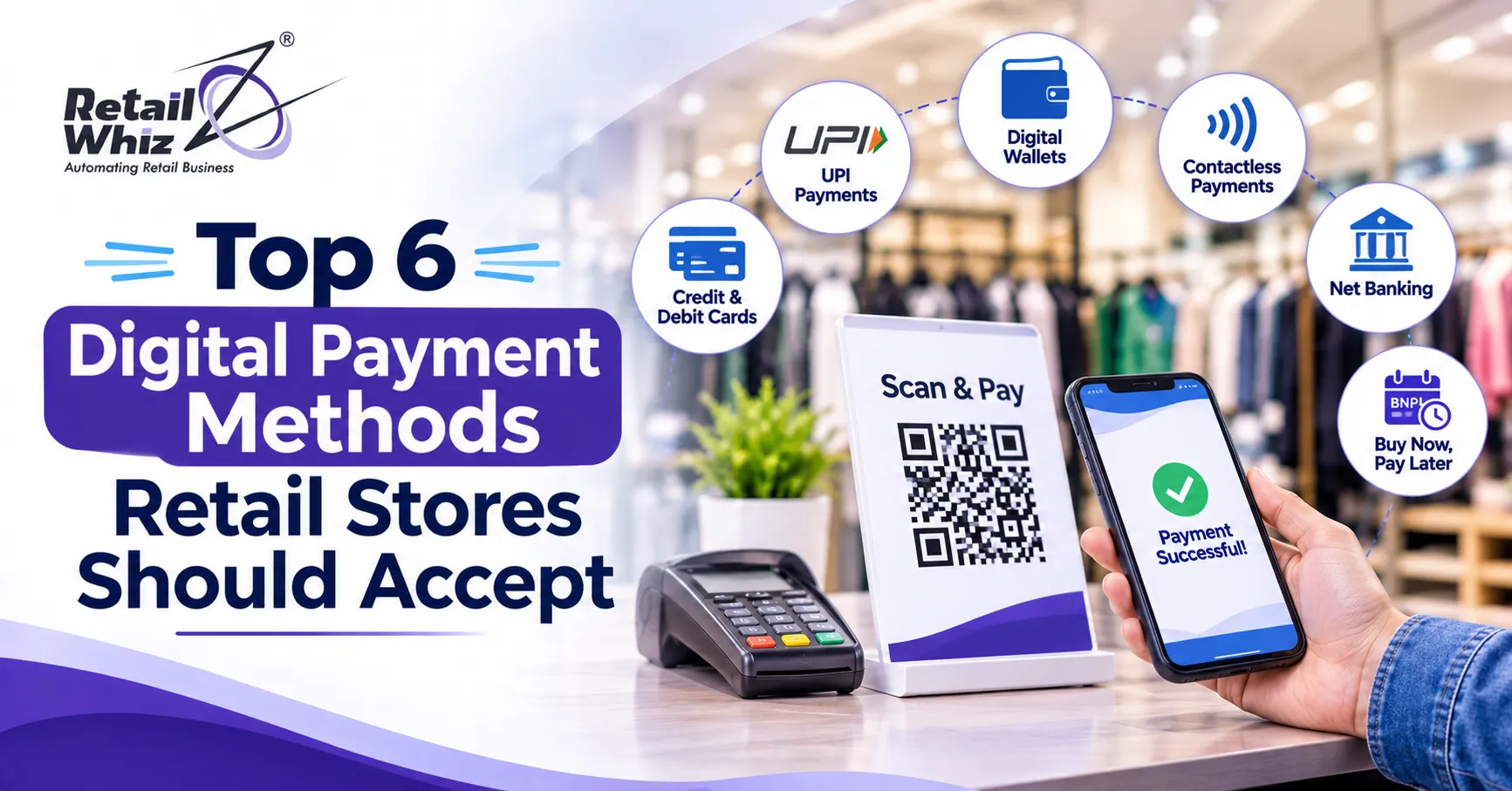
This guide covers the top 6 digital payment methods your retail store should accept, how each one works, and what to consider before adding it to your counter. If you run a supermarket, apparel store, pharmacy or a multi-outlet chain, this list will help you build a smarter and more flexible checkout experience.
Why Retail Stores Must Accept Digital Payments
Before we look at the list, it helps to understand why accepting multiple payment options matters.
- Faster checkout: Tapping a card or scanning a QR code takes seconds. Counting cash and returning change takes much longer.
- Higher average bill value: Shoppers who are not limited by the cash in their wallet tend to buy more.
- Fewer errors and less theft: Digital transactions leave a clear trail, which reduces mistakes at the cash counter.
- Better accounting: Every payment is recorded automatically, which makes daily reconciliation and tax filing easier.
- Customer trust: Offering modern payment options signals that your store is reliable and up to date.
The key is not just to accept digital payments but to connect them to your billing and inventory system so that every transaction updates your records in real time. We will come back to this point later in the guide.
1. UPI Payments
If you sell anything in India, UPI (Unified Payments Interface) has to be at the top of your list. It has become the most familiar way for customers to pay, from a small neighbourhood grocery to a large departmental store.
How it works: The customer opens a UPI app such as Google Pay, PhonePe, Paytm or a bank app, scans your QR code or enters your UPI ID, and approves the payment with a PIN. The money moves from the customer’s bank account to yours almost instantly.
Why retailers love it:
Instant settlement into your bank account
- Very low or zero cost for most small transactions, though you should always check the latest rules from your bank or payment provider
- No special hardware needed beyond a QR code
- Works for small and large bills alike
Things to watch: Network downtime and failed transactions can cause confusion at the counter. Train your staff to confirm the payment notification before handing over goods, and make sure your billing system can record the UPI reference number against each invoice.
Most retailers get the best results when UPI is connected directly to their billing counter through a reliable payment gateway software, so the bill and the payment are matched automatically instead of being checked by hand at the end of the day.
2. Credit and Debit Card Payments
Cards remain one of the most trusted digital payment methods for retail stores, especially for higher value purchases such as electronics, jewellery, furniture, footwear and fashion.
How it works: The customer inserts, swipes or taps a debit or credit card on a card terminal (also called a card swipe machine or POS terminal) and enters a PIN if required. The payment is processed through the card network and settled in your account within a short period.
Why retailers should accept cards:
- Customers feel comfortable using them for big purchases
- Credit cards allow shoppers to spend beyond their immediate bank balance
- Bank offers, cashback deals and reward points encourage more spending in your store
- International visitors and tourists usually rely on cards
Things to watch: Card payments usually involve a merchant discount rate (MDR), which is a small fee charged on each transaction. Compare rates between providers, and make sure your terminal supports both chip and tap payments. Also confirm that your terminal can be integrated with your billing software so staff do not need to key in amounts twice.
For stores that want a clean and modern checkout, choosing the right POS software for retail stores in India makes it easier to accept cards, UPI and other modes from a single billing screen.
3. Mobile Wallets
Mobile wallets store money or card details inside an app, allowing customers to pay with a few taps. Popular examples include Paytm Wallet, Amazon Pay, Apple Pay and Samsung Wallet.
How it works: The customer loads money into the wallet or links a card to it. At checkout, they either scan your QR code or tap their phone on a compatible terminal.
Why retailers should accept mobile wallets:
- Many customers keep a wallet balance from cashback and promotional offers, and they like to spend it
- Wallet apps often run discount campaigns that bring more shoppers to your store
- Payments are quick and do not require carrying a physical card
- Younger shoppers, who are often the most active in apparel, mobile accessories and lifestyle retail, prefer wallet payments
Things to watch: Settlement timelines and fees vary from one wallet to another. Keep track of which wallets bring you the most sales so you can focus on the ones that matter and drop the ones that do not.
4. QR Code Payments
QR code payments deserve their own place on this list because they are the easiest way for any store to go digital, even a very small one.
How it works: You display a printed QR code at the counter, or show a dynamic QR code on a screen. The customer scans it using any compatible payment app and pays the exact bill amount.
There are two main types:
- Static QR codes: One fixed code for your store. The customer types in the amount. It is simple and cheap, but mistakes in the entered amount can happen.
- Dynamic QR codes: A new code is generated for every bill with the amount already filled in. This removes human error and makes reconciliation much easier.
Why retailers should accept QR payments:
- Almost no setup cost
- Works with many payment apps through a single code
- Suitable for counters, home delivery, pop-up stalls and weekly markets
- Dynamic QR codes shown on a customer-facing screen create a smooth and professional checkout
Things to watch: For busy stores, dynamic QR codes are strongly recommended. They link every payment to a specific invoice, which saves hours of manual checking during end of day closing.
5. Contactless and NFC Payments (Tap to Pay)
Contactless payments let customers pay by simply tapping a card, phone or smartwatch on a payment terminal. They use near field communication (NFC) technology and have become a favourite in supermarkets, cafes, pharmacies and convenience stores where speed matters.
How it works: The customer holds a contactless card or a smartphone near the terminal. The payment is authorised in a second or two, and for smaller amounts no PIN is usually needed.
Why retailers should accept contactless payments:
- Shortest checkout time of any payment method
- Hygienic and convenient, since there is no need to hand over a card or touch a keypad
- Reduces queues during peak hours, festival seasons and weekend rushes
- Supports phones and wearables, which suits tech-savvy shoppers
Things to watch: Make sure your card terminals have NFC enabled, and display a clear contactless symbol near the counter so customers know the option exists. Many customers simply do not realise they can tap.
6. Buy Now Pay Later (BNPL) and EMI Options
For higher priced products, flexible payment plans can be the difference between a browsing customer and a buying customer. Buy now pay later (BNPL) and no cost EMI options allow shoppers to split a purchase into smaller installments.
How it works: At checkout, the customer chooses an EMI or BNPL option through a financing partner, a card EMI scheme or a payment app. You receive the payment, and the customer repays in installments.
Why retailers should accept BNPL and EMI:
Increases sales of expensive items such as appliances, mobiles, furniture, mattresses and jewellery
- Raises the average order value
- Makes premium products feel more affordable
- Works well during festive sales and seasonal offers
Things to watch: Understand the fees, settlement timelines and any subvention costs that apply. Make sure your billing system can clearly record EMI sales and match them to the right financing partner, so your accounts stay accurate.
If your store needs to link multiple payment partners, loyalty schemes or financing apps into one billing screen, a flexible retail software customisation and integration service can connect them without disrupting your daily operations.
How to Choose the Right Mix of Payment Methods
You do not need to launch all six methods on day one. The right mix depends on your store format, customers and budget. Here is a simple way to decide.
1. Know your customers. A neighbourhood grocery may need UPI and QR payments first. A premium apparel or electronics store should add cards, EMI and contactless as well.
2. Check your costs. Review fees, settlement times and hardware costs for each method before you commit.
3. Prioritise integration. Payments that do not sync with your billing and inventory create extra work. Choose methods that connect smoothly to your system.
4. Think about security. Use trusted providers, keep your software updated and train staff to follow safe practices.
5. Review regularly. Look at your sales reports every month to see which payment methods are growing and which are rarely used.
Best Practices for Smooth Digital Payment Acceptance
Accepting digital payments is only half the job. Running them well is what protects your margins and your customer experience.
- Display accepted payment options clearly at the entrance and the billing counter.
- Train your cashiers to handle failed payments, refunds and double debit complaints calmly.
- Use one billing screen for every payment mode so your team does not switch between devices.
- Reconcile daily by matching bank settlements with your sales records.
- Keep a backup option such as a second QR code or a spare terminal in case one network goes down.
- Protect customer data by never storing card details on your own devices unless you follow proper compliance standards.
Digital payments also make tax compliance simpler, since every sale is already recorded with clear details. Using GST and compliance software alongside your payment setup helps you generate accurate invoices and keep your returns clean without extra manual effort.
Final Thoughts
Customers today want choice, speed and convenience at the counter. Stores that offer UPI payments, card payments, mobile wallets, QR code payments, contactless payments and flexible EMI or BNPL options give shoppers every reason to complete their purchase and return again.
Start with the methods your customers already use, connect them to a single billing system, and expand step by step as your store grows. The result is a faster checkout, fewer errors, better records and happier customers.
Frequently Asked Questions (FAQs)
1. What are the most popular digital payment methods for retail stores?
The most popular digital payment methods for retail stores include UPI payments, credit and debit cards, mobile wallets, QR code payments, contactless payments and buy now pay later or EMI options. Most stores begin with UPI and cards, then add other options based on customer demand.
2. Is it compulsory for a retail store to accept digital payments?
Rules can differ by business type and turnover, and they can change over time. Even where it is not compulsory, accepting digital payments is a smart business decision because customers increasingly prefer cashless options. Check with your bank, payment provider or tax advisor for the latest requirements that apply to your store.
3. What is the best digital payment method for a small retail shop?
UPI with a dynamic QR code is usually the best starting point for a small shop. It needs almost no hardware, is familiar to most customers and settles quickly. As the shop grows, you can add a card terminal and contactless payments.
4. How can I reduce the cost of accepting digital payments?
Compare fees across providers, encourage low cost methods such as UPI at the counter, negotiate card rates once your volumes grow, and avoid paying for features you do not use. Using integrated billing software also saves the hidden cost of manual reconciliation.
5. How do I connect multiple payment methods to my billing software?
The easiest way is to use a POS or retail ERP system that supports a payment gateway and multiple payment modes on one screen. This way, every UPI, card, wallet or EMI payment is recorded against the correct invoice automatically, and your stock and accounts update in real time.