Every single day, your stores generate an enormous amount of data: billing transactions, footfall patterns, stock movements, seasonal spikes, customer preferences, and staff performance. The problem isn’t a lack of data. It’s that most retailers simply aren’t using it. Spreadsheets pile up, reports sit unread, and decisions are still made on gut feeling rather than facts.
This is exactly where retail analytics software changes the game. By converting scattered, raw store data into clear, actionable insights, analytics platforms help retailers cut costs, improve inventory accuracy, boost sales, and deliver a better customer experience, all backed by real numbers instead of guesswork.
In this guide, we’ll break down what retail analytics software actually does, why it matters in 2026, the key features to look for, and how to choose the right solution for your retail business.
What Is Retail Analytics Software?
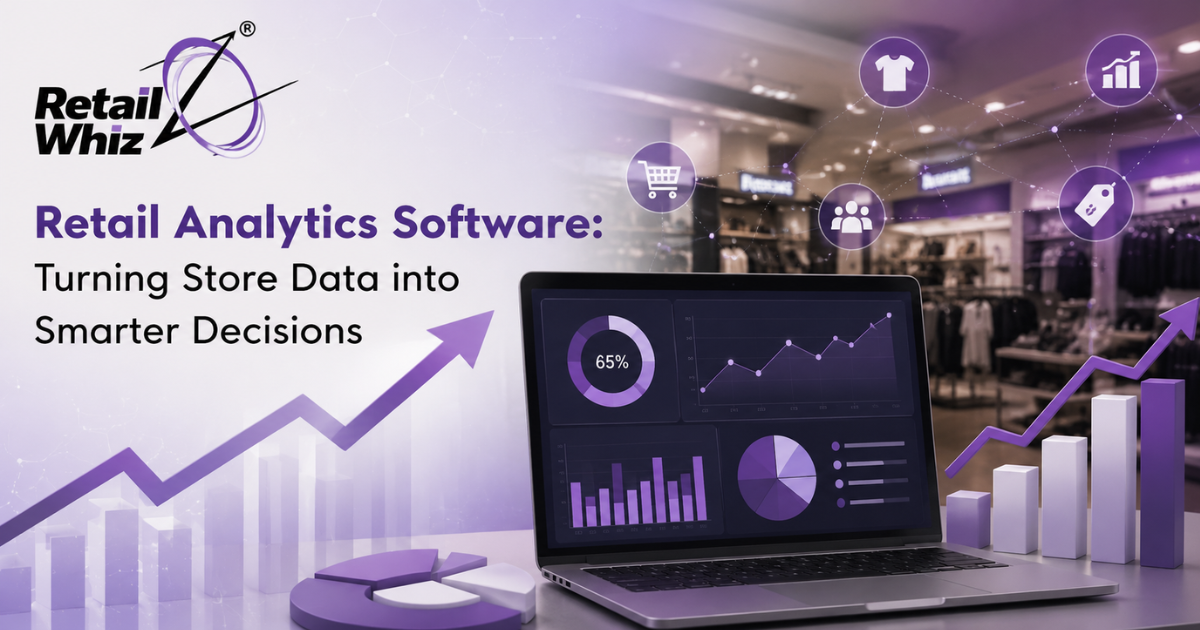
Retail analytics software is a technology solution that collects data from multiple sources, including point of sale (POS) systems, inventory management tools, e-commerce platforms, CRM systems, and even foot traffic sensors, and converts it into meaningful dashboards, reports, and predictive insights.
Instead of manually pulling numbers from different systems and building reports in Excel, retail analytics tools automate the entire process. Store owners and managers get real-time visibility into what’s selling, what’s not, where losses are occurring, and what trends are emerging, all from a single dashboard.
This category of software is often referred to using several related terms, including retail data analytics, retail business intelligence (BI) software, store performance analytics, and MIS and analytics for retail. If you’re evaluating options for your own stores, RetailWhizz’s MIS & Analytics solution is a good example of how these capabilities come together in a single platform for Indian retail businesses.
Why Retail Data Matters More Than Ever
Retail is one of the most competitive and margin-sensitive industries out there. A few percentage points of improved efficiency can be the difference between profit and loss. Here’s why data-driven decision-making has become non-negotiable for retailers:
- Rising customer expectations: Shoppers expect personalized offers, accurate stock availability, and fast checkout, all of which depend on good data.
- Thin margins: Even small inefficiencies in inventory, pricing, or staffing can erode profitability quickly.
- Omnichannel complexity: With sales happening in-store, online, and via marketplaces, retailers need a unified view of performance across every channel.
- Increasing competition: Both large chains and hyperlocal stores are investing in technology to stay ahead, and analytics is often the deciding factor.
Retailers who rely on instinct alone are increasingly being outpaced by those using data to guide every decision, from what to stock to when to run a promotion.
Key Benefits of Retail Analytics Software
1. Smarter Inventory Management
One of the biggest pain points for any retailer is inventory: too much stock ties up capital, while too little leads to lost sales. Retail analytics software analyzes historical sales trends, seasonality, and demand patterns to help you maintain optimal stock levels across every store and SKU.
When paired with a dedicated inventory management software, analytics tools can flag slow-moving items, predict stockouts before they happen, and recommend reorder quantities, reducing both dead stock and missed sales opportunities.
2. Improved Sales Performance
Analytics dashboards give you a clear picture of which products, categories, and stores are performing best, and which aren’t. You can track daily, weekly, and monthly sales trends, compare performance across locations, and identify your top revenue drivers instantly.
Since most sales data originates at the billing counter, retail analytics tools work best when tightly integrated with your POS software, ensuring every transaction feeds directly into your reporting without manual intervention.
3. Better Customer Insights
Understanding customer behavior, including purchase frequency, average basket size, preferred categories, and loyalty patterns, allows you to design targeted promotions and loyalty programs that actually convert. Retail analytics software segments customers automatically, so you’re not sending the same offer to every shopper.
4. Reduced Shrinkage and Loss
Unexplained inventory loss (shrinkage) due to theft, damage, or administrative errors quietly eats into profits. Analytics platforms can flag unusual patterns, like discrepancies between recorded and actual stock, helping you catch issues early instead of discovering them at year-end audits.
5. Data-Backed Decision Making Across Locations
For multi-store retailers, comparing performance across branches manually is nearly impossible. Retail analytics software consolidates data from every outlet into a single view, so head office teams can quickly identify which stores need support, which layouts or promotions are working, and where to expand next.
6. Real-Time Reporting
Traditional reporting often means waiting days or weeks for consolidated numbers. Modern analytics platforms offer real-time dashboards accessible from any device, so decision-makers always have current information, not last month’s numbers.
Key Features to Look For in Retail Analytics Software
When evaluating a retail analytics or MIS platform, prioritize these capabilities:
- Real-time dashboards covering sales, inventory, and customer metrics
- Multi-store and multi-channel reporting for consolidated visibility
- Predictive analytics for demand forecasting and stock planning
- Customizable reports tailored to different roles (owner, store manager, category head)
- Integration capability with your existing POS, inventory, and accounting systems
- Mobile accessibility so you can check performance on the go
- GST and compliance-ready reporting for the Indian retail market
- Alerts and notifications for anomalies like sudden sales dips or stock shortages
A well-integrated retail management ecosystem, where analytics, billing, and inventory all work together, delivers far more value than standalone tools that don’t talk to each other. This is why many retailers choose a unified retail ERP approach instead of stitching together multiple disconnected systems. If you’re unsure which modules your business needs first, browsing through RetailWhizz’s full range of retail solutions can help you map out a phased implementation plan.
Retail Analytics in Action: A Practical Example
Imagine a regional supermarket chain with 15 stores. Before adopting analytics software, store managers submitted weekly Excel reports to head office, which took days to consolidate and analyze. Slow-moving stock often went unnoticed for months, and promotions were planned based on assumptions rather than actual demand data.
After implementing retail analytics software, the chain could see live sales and inventory data across all 15 locations from one dashboard. They identified that three stores were consistently overstocking a particular category while two others were frequently running out of the same items. By reallocating stock based on this insight alone, they reduced dead stock by a significant margin and improved product availability, all within the first quarter of use.
This is the practical power of analytics: it doesn’t just report what happened, it helps you act faster and smarter going forward.
Retail Analytics Software vs. Traditional Reporting
| Aspect | Traditional Reporting | Retail Analytics Software |
| Data source | Manual entry from multiple systems | Automated, integrated data feeds |
| Speed | Days or weeks | Real-time or near real-time |
| Accuracy | Prone to human error | Consistent and automated |
| Scalability | Difficult across multiple stores | Built for multi-store visibility |
| Forecasting | Rarely available | Predictive, trend-based insights |
| Accessibility | Desktop-bound spreadsheets | Cloud and mobile dashboards |
Choosing the Right Retail Analytics Partner
Not every analytics tool is built the same way, and picking the right one depends on your business size, store count, and existing systems. A few questions worth asking before you invest:
- Does the software integrate smoothly with your current POS and inventory systems?
- Can it scale as you add more stores or sales channels?
- Is the reporting customizable for different teams, including finance, operations, and category management?
- Does the vendor offer support and training so your team can actually use the insights?
- Is the platform compliant with local tax and regulatory requirements like GST?
Working with an experienced retail technology partner can also make implementation smoother. For businesses that want expert guidance on rolling out analytics alongside their broader retail systems, exploring retail consultancy services is a practical starting point to align technology choices with actual business goals.
Final Thoughts
Retail success today isn’t just about having the right products on the shelf. It’s about knowing what’s happening across every store, every SKU, and every customer interaction, and being able to act on that knowledge quickly. Retail analytics software turns the mountain of data your stores already generate into a genuine competitive advantage.
Whether you run a single store or manage a multi-location chain, investing in the right analytics platform, one that’s well integrated with your POS, inventory, and overall retail ERP, can be the difference between reactive firefighting and proactive, confident decision-making.
Frequently Asked Questions (FAQs)
1. What is retail analytics software used for?
Retail analytics software is used to collect, organize, and analyze data from stores, including sales, inventory, and customer behavior, to help retailers make informed, data-backed business decisions.
2. How does retail analytics software improve inventory management?
It analyzes historical sales and demand trends to help retailers maintain optimal stock levels, avoid overstocking or stockouts, and identify slow-moving products before they turn into dead stock.
3. Is retail analytics software only useful for large retail chains?
No. While multi-store chains benefit from consolidated reporting, even single-store retailers gain value from insights into sales trends, customer behavior, and inventory efficiency.
4. Can retail analytics software integrate with my existing POS system?
Most modern retail analytics platforms are designed to integrate directly with POS, inventory, and accounting systems, ensuring data flows automatically without manual entry.
5. What is the difference between retail analytics and business intelligence (BI)?
Retail analytics typically focuses specifically on store-level data like sales, inventory, and customer behavior, while broader BI tools may cover finance, HR, and operations across an entire organization. Many retail-specific platforms combine both under an MIS and analytics module.