Retail is no longer confined to a fixed billing counter. Customers expect quick checkouts, personalized service, and flexibility, whether they are shopping inside a store, browsing a pop-up stall, or attending a trade fair. This is exactly where a mobile POS app changes the game for retailers. A mobile point of sale system lets store owners and staff process sales, manage inventory, and accept payments from anywhere, using just a smartphone or tablet.
In this blog, we will explore what a mobile POS app is, why retail businesses are rapidly adopting it, its key features, benefits, and how to choose the right solution for your store.
What Is a Mobile POS App?
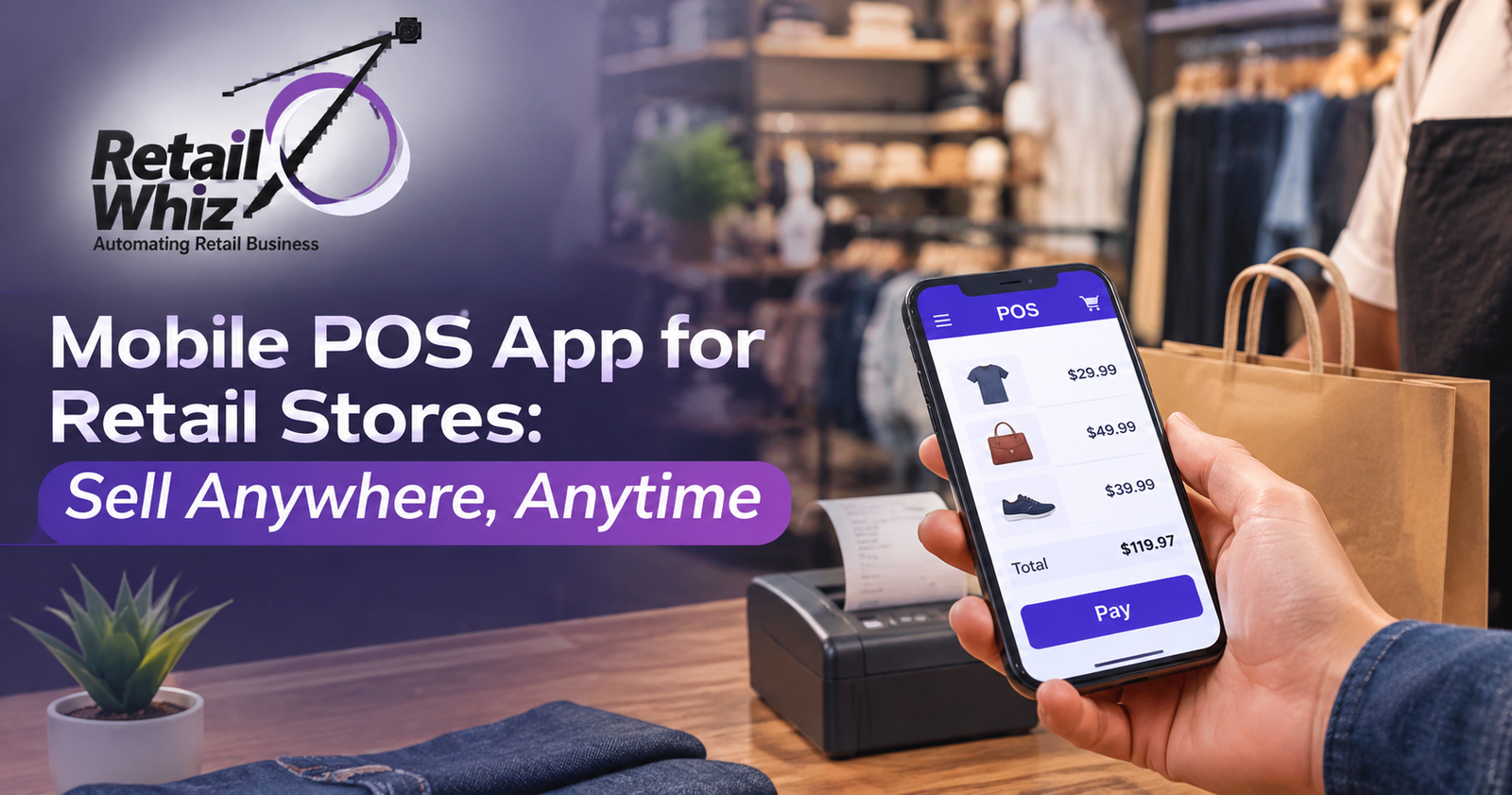
A mobile POS app, often called mPOS, is a point of sale software solution that runs on smartphones, tablets, or handheld devices instead of being tied to a traditional billing counter. It allows retailers to complete sales transactions, scan barcodes, accept multiple payment modes, print or share receipts, and update inventory in real time, all without needing a bulky desktop setup.
Unlike traditional POS systems that require dedicated hardware and a fixed location, a mobile POS system gives retail businesses the freedom to bill customers on the shop floor, at events, during home deliveries, or across multiple store locations. This flexibility is why more retailers are shifting from legacy billing counters to a modern mobile point of sale app.
Why Retail Stores Need a Mobile POS System Today
The retail landscape has changed. Customers do not want to stand in long billing queues, and store owners need real time visibility into sales and stock across locations. A mobile POS app solves both problems effectively.
Here are a few reasons why retail stores are increasingly investing in mobile point of sale software:
Faster checkouts: Staff can bill customers directly on the shop floor using a handheld device, cutting down waiting time significantly.
Line busting during peak hours: During festive sales or weekend rush, additional staff with mobile POS devices can be deployed instantly to reduce queues at the counter.
Sell beyond the store: Retailers running pop-up shops, kiosks, exhibitions, or home delivery services can bill and accept payments on the go.
Real time inventory sync: Every sale made through a mobile POS app instantly updates stock levels, preventing overselling and stockouts.
Better customer experience: Sales associates can look up product details, check stock availability, and complete billing while interacting with customers, instead of making them wait in line.
If you are exploring a complete retail POS software solution that combines mobility with robust back office control, it helps to understand how billing, inventory, and reporting work together as one system rather than separate tools.
Key Features of a Good Mobile POS App
Not every mobile point of sale app is built the same way. When evaluating a mobile POS system for your retail store, look for these essential features.
1. Fast and Accurate Billing
The core function of any POS app is quick, error free billing. A good mobile POS app should support barcode scanning, quick product search, and multiple item discounts without slowing down the checkout process.
2. Multiple Payment Options
Modern customers pay using UPI, credit or debit cards, digital wallets, and cash. Your mobile POS software should support all major payment gateways so customers can pay however they prefer.
3. Real Time Inventory Management
Every transaction should automatically reflect in your stock records. A reliable mobile POS app connects directly with your inventory management software, so you always know what is in stock, what is running low, and what needs reordering, regardless of which counter or location the sale happened at.
4. Offline Billing Capability
Network issues should never stop a sale. A dependable mobile POS system allows billing to continue offline and automatically syncs data once connectivity is restored.
5. GST Compliant Invoicing
For retail businesses in India, GST compliant billing is non negotiable. The mobile POS app should generate accurate tax invoices and support easy GST reporting.
6. Centralized Multi Store Management
If you operate more than one outlet, your mobile POS software should give you a single dashboard to monitor sales, stock, and staff performance across all locations.
7. Customer and Loyalty Management
The best mobile POS apps let sales staff view customer purchase history and apply loyalty points or discounts instantly, improving repeat business and customer retention.
8. Detailed Sales Reporting
Access to real time sales reports, best selling products, and staff performance data helps store owners make faster, data backed decisions, even while away from the store.
Benefits of Using a Mobile POS App for Retail Stores
Adopting a mobile point of sale system delivers measurable business benefits beyond just convenience.
Increased sales opportunities: Retailers can sell at events, exhibitions, and temporary locations without setting up a full billing counter.
Reduced hardware costs: A mobile POS app eliminates the need for multiple fixed billing terminals, lowering upfront investment.
Improved staff productivity: Employees spend less time walking customers to a counter and more time assisting them directly.
Better customer satisfaction: Shorter wait times and personalized service on the floor lead to a noticeably better shopping experience.
Scalability: As your retail business grows into new formats like kiosks, franchise outlets, or seasonal stores, a mobile POS system scales with you without major infrastructure changes.
Accurate stock control: With every sale synced in real time, retailers avoid the common problem of overselling out of stock items, especially during high footfall periods.
Retailers who pair their mobile POS app with a strong inventory management software often see the biggest improvement in stock accuracy, since every transaction, whether billed at the counter or on the move, updates the same central inventory record.
Who Should Use a Mobile POS App?
A mobile POS system is not limited to large retail chains. It works well for a wide range of retail formats, including:
- Supermarkets and grocery stores managing rush hour billing
- Apparel and fashion outlets running seasonal sales and events
- Bakery, sweet, and food and beverage shops with high customer footfall
- Pharmacies and small format stores needing quick, accurate billing
- Retailers participating in exhibitions, trade fairs, and pop-up stores
- Multi store retail chains needing centralized visibility
Whether you run a single store or manage a growing chain of outlets, a mobile point of sale app adapts to how your business actually operates, rather than forcing your operations to fit around fixed hardware.
How to Choose the Right Mobile POS App for Your Retail Store
Choosing the right mobile POS software requires looking beyond just the billing screen. Here are a few factors retailers should evaluate before making a decision.
Ease of use: Staff should be able to learn the app quickly without extensive training.
Integration capability: The mobile POS app should integrate smoothly with your existing inventory, loyalty, and accounting systems.
Reliability during offline periods: Ensure the app can continue billing without internet and sync data automatically later.
Data security: Since the app handles customer and payment data, look for encryption and secure login features.
Support and implementation: A smooth rollout matters as much as the software itself. Working with a partner experienced in retail ERP implementation ensures your mobile POS app is configured correctly and connected properly with your existing retail systems from day one.
Vendor track record: Choose a provider with proven experience serving retail businesses similar to yours, rather than a generic billing app.
Final Thoughts
A mobile POS app is no longer a nice to have feature, it is quickly becoming essential for retail stores that want to sell anywhere, anytime, without compromising on speed, accuracy, or customer experience. From reducing checkout queues to enabling sales at events and multiple locations, mobile point of sale technology gives retailers the flexibility modern shopping demands.
If you are still comparing options, our detailed guide on the best POS software for retail stores in India breaks down leading solutions to help you make an informed choice for your business.
Investing in the right mobile POS system today can help your retail store stay competitive, improve efficiency, and deliver the seamless shopping experience customers expect in 2026 and beyond.
Frequently Asked Questions
1. What is a mobile POS app used for in retail stores?
A mobile POS app is used to process sales, accept payments, scan products, and update inventory directly from a smartphone or tablet, allowing retailers to bill customers anywhere in the store or outside it, rather than being limited to a fixed counter.
2. Is a mobile POS system suitable for small retail businesses?
Yes. Small retail businesses benefit significantly from a mobile POS system because it reduces hardware costs, speeds up billing, and allows owners to manage sales and stock without investing in multiple fixed terminals.
3. Can a mobile POS app work without internet connectivity?
A good quality mobile POS app supports offline billing, allowing transactions to continue even without internet access. Once the connection is restored, all sales data automatically syncs with the central system.
4. How does a mobile POS app help with inventory management?
Every sale made through the app updates stock levels in real time, giving retailers accurate visibility into inventory across all locations and reducing the chances of overselling or stockouts.
5. Is a mobile POS app secure for accepting customer payments?
Reputable mobile POS apps use encrypted payment processing and secure login protocols to protect customer data and transaction details, making them safe for everyday retail use.