Running a retail store is about more than stocking shelves and billing customers. Behind every smooth checkout and every well-organised aisle is a team of people who need to be scheduled, tracked and paid correctly. For many store owners, managing this workforce is one of the most time-consuming parts of the business. Handwritten rosters, paper attendance registers and spreadsheet-based salary calculations often lead to errors, disputes and wasted hours.
This is where retail staff management software makes a real difference. By bringing employee scheduling, attendance tracking and payroll into one connected system, retailers can reduce manual work, control labour costs and keep their teams happy. In this guide, we explain what retail workforce management software does, the key features to look for, the benefits it delivers and how to choose the right solution for your store or chain.
What Is Retail Staff Management Software?
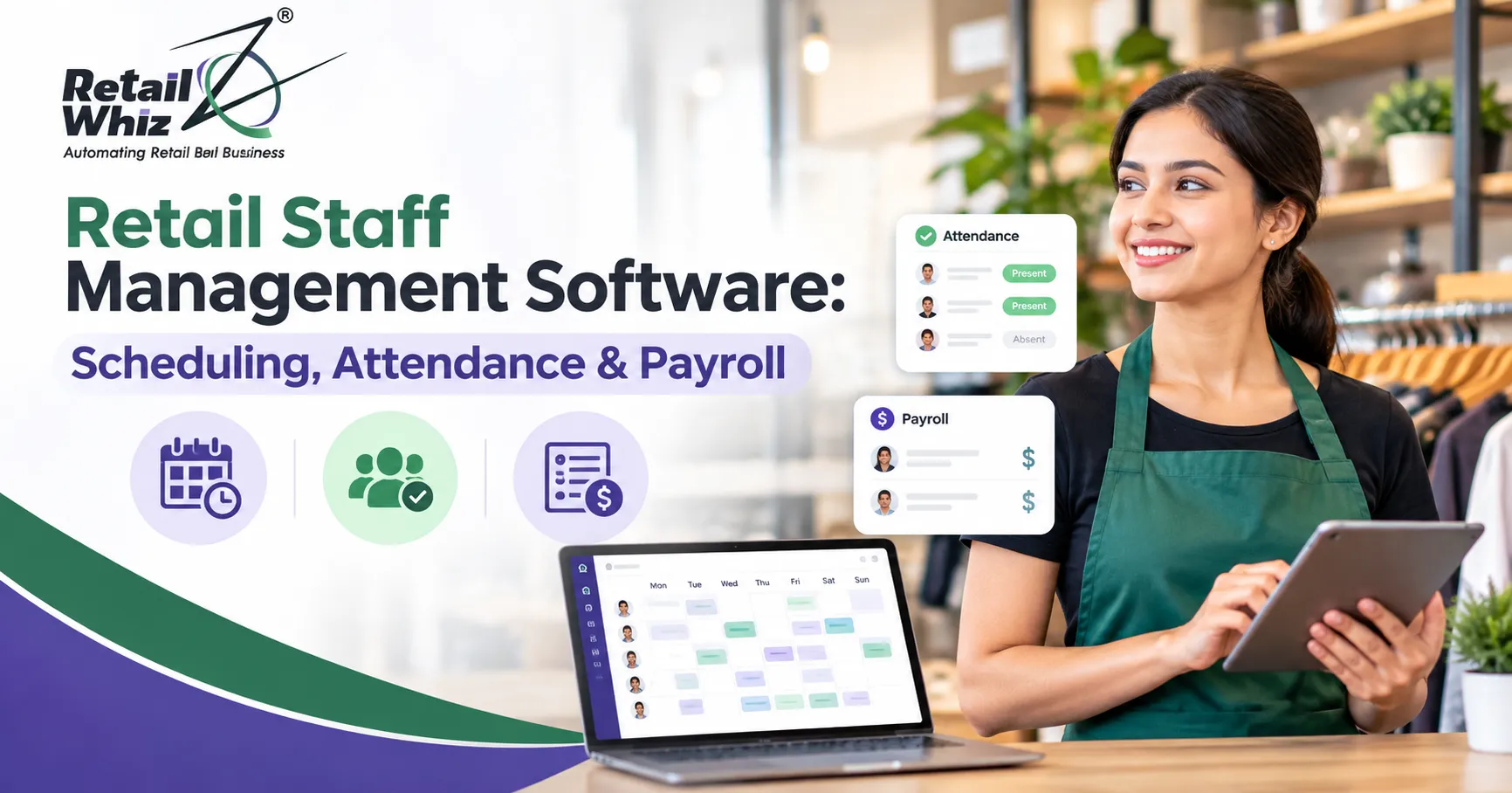
Retail staff management software is a digital tool that helps retailers plan, monitor and pay their employees from a single platform. It typically covers three core areas:
- Employee scheduling: Creating shift rosters based on store hours, footfall and staff availability.
- Time and attendance tracking: Recording when employees clock in, clock out, take breaks or go on leave.
- Payroll processing: Calculating salaries, overtime, deductions and statutory contributions automatically.
Unlike generic HR software, retail workforce management software is built around the realities of store operations. Retail teams work in shifts, deal with seasonal peaks, handle part-time and temporary staff and often operate across multiple locations. A good system understands these patterns and adapts to them.
Why Retailers Need Workforce Management Software
Labour is one of the largest operating expenses for any retail business, often second only to rent and inventory. Yet many stores still manage it with outdated methods. Here are some common problems retailers face without dedicated employee management software:
- Overstaffing and understaffing: Too many staff on a slow weekday wastes money, while too few during a festive weekend leads to long queues and lost sales.
- Attendance fraud: Buddy punching, where one employee marks attendance for another, is surprisingly common with manual registers.
- Payroll errors: Manual salary calculation increases the risk of mistakes in overtime, leave deductions and statutory contributions.
- Poor visibility across stores: Multi-store owners struggle to see which outlet is over budget on labour or where absenteeism is high.
- Compliance risks: Missing records for working hours, wages or statutory deductions can create legal trouble during inspections.
A retail staff management system solves these issues by replacing guesswork with real data.
Employee Scheduling: Building Smarter Shift Rosters
Scheduling is the foundation of effective retail workforce management. The goal is simple: have the right number of people with the right skills in the store at the right time.
Key Scheduling Features to Look For
Drag-and-drop shift planning. Managers should be able to build weekly or monthly rosters quickly, copy templates from previous weeks and adjust shifts in a few clicks.
Demand-based scheduling. The best employee scheduling software uses historical sales and footfall data to predict busy hours. If Saturday evenings bring double the customers, the system recommends more cashiers and floor staff for that slot.
Availability and leave management. Employees can share their availability and apply for leave digitally. Managers see conflicts before publishing the roster, which avoids last-minute gaps.
Shift swapping. Staff can request shift swaps with colleagues, subject to manager approval. This gives employees flexibility while keeping the store covered.
Mobile access. Retail employees rarely sit at desks. A mobile app or SMS alerts ensure every team member knows their schedule and receives updates instantly.
Multi-store scheduling. For retail chains, the ability to view and manage rosters across all outlets from a central dashboard is essential. It also allows staff to be shared between nearby stores during peak periods.
Benefits of Automated Scheduling
Smart shift scheduling reduces overtime costs, improves customer service during peak hours and lowers employee burnout. When staff receive fair, predictable schedules, they are more engaged and less likely to leave, which directly reduces hiring and training costs.
Time and Attendance Tracking: Accurate Records Every Day
Once schedules are in place, retailers need a reliable way to confirm who actually showed up and for how long. A modern time and attendance system replaces paper registers with accurate digital records.
Common Attendance Tracking Methods
- Biometric attendance: Fingerprint or face recognition devices eliminate buddy punching and provide tamper-proof records.
- POS login attendance: Cashiers and sales staff can clock in directly through the billing terminal they use every day. If you are evaluating billing systems, our guide on the best POS software for retail stores explains which features matter most for daily operations.
- Mobile geo-fenced attendance: Employees mark attendance through a mobile app, and the system verifies they are physically at the store location.
- RFID or card-based systems: Staff swipe an ID card at entry and exit points.
Must-Have Attendance Features
Real-time dashboards. Store managers should see instantly who is present, who is late and who is absent, allowing them to arrange cover quickly.
Late arrival and early exit alerts. Automatic notifications help managers address punctuality issues before they become habits.
Break tracking. Recording meal and rest breaks ensures fair working hours and supports labour law compliance.
Overtime calculation. The system should automatically identify hours worked beyond the scheduled shift and flag them for approval.
Leave and holiday integration. Approved leaves, weekly offs and public holidays should reflect automatically in attendance records, so no manual adjustments are needed at month end.
Why Accurate Attendance Matters
Attendance data is the bridge between scheduling and payroll. If attendance records are wrong, salaries will be wrong too. Accurate tracking protects both the employer, who pays only for hours actually worked, and the employee, who gets paid fairly for every hour on the job.
Payroll Processing: Paying Your Team Correctly and On Time
Payroll is where small errors create big problems. A single mistake in overtime or deductions can lead to employee dissatisfaction, disputes and even compliance penalties. Retail payroll software automates the entire process using data from scheduling and attendance.
Essential Payroll Features for Retailers
Automatic salary calculation. The system pulls attendance, leave and overtime data and calculates gross pay, deductions and net pay without manual entry.
Support for different pay structures. Retail teams often include monthly salaried managers, hourly part-time staff, commission-based sales associates and temporary festive workers. Your payroll system should handle all of these.
Incentives and commissions. Many retailers reward staff based on sales targets. Payroll software that links with sales data can calculate incentives automatically for each employee.
Statutory compliance. For Indian retailers, this includes Provident Fund (PF), Employee State Insurance (ESI), Professional Tax, TDS and adherence to applicable minimum wage rules. The software should generate the required reports and challans.
Payslip generation. Employees should receive digital payslips by email or through a self-service portal.
Bank transfer integration. Bulk salary files that can be uploaded directly to your bank save time and reduce errors.
Accounting integration. Payroll entries should post automatically to your books so that salary expenses, statutory liabilities and bank payments are always reconciled. If you are still comparing tools for your finance team, our list of the top accounting software for retailers is a helpful starting point.
Top Benefits of Retail Staff Management Software
Bringing scheduling, attendance and payroll together in one platform delivers value across the entire business.
1. Lower labour costs. Demand-based scheduling and accurate attendance prevent unnecessary overtime and overstaffing.
2. Time savings for managers. Store managers spend less time on rosters and paperwork and more time on customers, merchandising and sales.
3. Fewer payroll errors. Automation removes manual calculations and ensures every employee is paid correctly.
4. Better employee experience. Transparent schedules, easy leave requests and timely salaries improve morale and reduce attrition.
5. Stronger compliance. Digital records of working hours, wages and statutory contributions make audits and inspections far less stressful.
6. Data-driven decisions. Reports on labour cost as a percentage of sales, absenteeism trends and staff productivity per store help owners make smarter decisions.
7. Scalability. Whether you run one store or fifty, a centralised system grows with your business without adding administrative headcount.
Why Integration With Your Retail ERP Matters
Standalone HR tools often create data silos. Sales data sits in the POS, inventory data sits in another system and staff data sits in yet another. The real power of retail workforce management comes when staff data connects with the rest of your retail operations.
When employee management is part of an integrated retail ERP, you can:
- Compare sales per employee and per shift to identify top performers.
- Align staffing levels with inventory deliveries and stock counts.
- Calculate sales incentives automatically from POS billing data.
- Post payroll costs directly into financial accounting.
- Keep all business records, including tax and statutory data, in one secure place.
Integrated systems also make it easier to stay on top of regulations. Just as retailers rely on GST compliance software to manage invoicing and tax returns accurately, connecting payroll with the same platform keeps statutory records consistent and audit-ready across the entire business.
How to Choose the Right Retail Staff Management Software
With many options available, use this checklist to evaluate solutions:
Retail focus. Choose software designed for stores, with support for shifts, part-time staff and multi-location operations.
Ease of use. Store managers and staff should be able to use the system with minimal training.
Mobile access. Employees should be able to view schedules, mark attendance and apply for leave from their phones.
Local compliance. For Indian retailers, check support for PF, ESI, Professional Tax, TDS and state-specific labour rules.
Integration capability. The system should connect with your POS, accounting and ERP software without complex workarounds.
Scalability. Make sure the solution can handle more employees and stores as you grow.
Reliable support and training. A responsive support team and proper onboarding make adoption much smoother.
Cost and ROI. Look beyond the licence price. Calculate savings from reduced overtime, fewer payroll errors and hours saved by managers each month.
Tips for a Smooth Implementation
Switching from manual registers or spreadsheets to digital staff management software requires planning. Follow these steps for a successful rollout:
- Clean your employee data first. Collect accurate records of employee details, salary structures, bank accounts and statutory numbers before going live. Working with experienced retail data migration services helps ensure historical attendance, leave balances and salary data move safely into the new system without errors.
- Start with a pilot store. Test scheduling, attendance and payroll in one location before rolling out across the chain.
- Train managers and staff. Explain how to use the system and why it benefits them, such as faster salary processing and fair scheduling.
- Run parallel payroll for one cycle. Compare the software’s output with your existing process to catch configuration issues early.
- Review reports regularly. Use labour cost and attendance reports every month to refine schedules and policies.
The Future of Retail Workforce Management
Retail staff management is evolving quickly. AI-powered forecasting now predicts staffing needs based on weather, festivals and local events. Self-service apps let employees manage their own shifts, leaves and payslips. Face recognition attendance is replacing fingerprint scanners for hygiene and speed. Real-time analytics help owners track labour productivity alongside sales and inventory on a single dashboard.
Retailers who adopt these tools early gain a clear advantage: leaner operations, happier teams and better customer service.
Conclusion
Your employees are the face of your store. Managing them with outdated methods costs you money, time and goodwill. Retail staff management software brings scheduling, attendance and payroll together, giving you accurate data, lower labour costs and a more motivated workforce. When it is connected with your POS, inventory and accounting through an integrated retail ERP, it becomes a powerful engine for growth.
If you are ready to modernise how you manage your retail team, connect with RetailWhizz to explore how an integrated retail ERP can support your store operations from billing counter to payroll.
Frequently Asked Questions
1. What is retail staff management software?
Retail staff management software is a digital system that helps retailers handle employee scheduling, time and attendance tracking and payroll processing from one platform. It is designed for shift-based retail teams and multi-store operations.
2. How does employee scheduling software reduce labour costs?
Employee scheduling software uses sales and footfall data to match staffing levels with customer demand. This prevents overstaffing during slow hours, reduces unnecessary overtime and ensures enough staff are available during peak periods.
3. Which attendance method is best for retail stores?
Biometric attendance is popular because it prevents buddy punching and creates tamper-proof records. POS login attendance works well for cashiers, while mobile geo-fenced attendance suits stores with field or delivery staff. Many retailers combine two methods.
4. Can payroll software handle PF, ESI and other statutory deductions in India?
Yes. Good payroll software for Indian retailers automatically calculates PF, ESI, Professional Tax and TDS, generates statutory reports and keeps records ready for audits and inspections.
5. Why should staff management be integrated with a retail ERP?
Integration connects employee data with sales, inventory and accounting. This allows automatic incentive calculation from POS sales, direct posting of payroll into accounts and clear reports on labour cost versus revenue for every store.