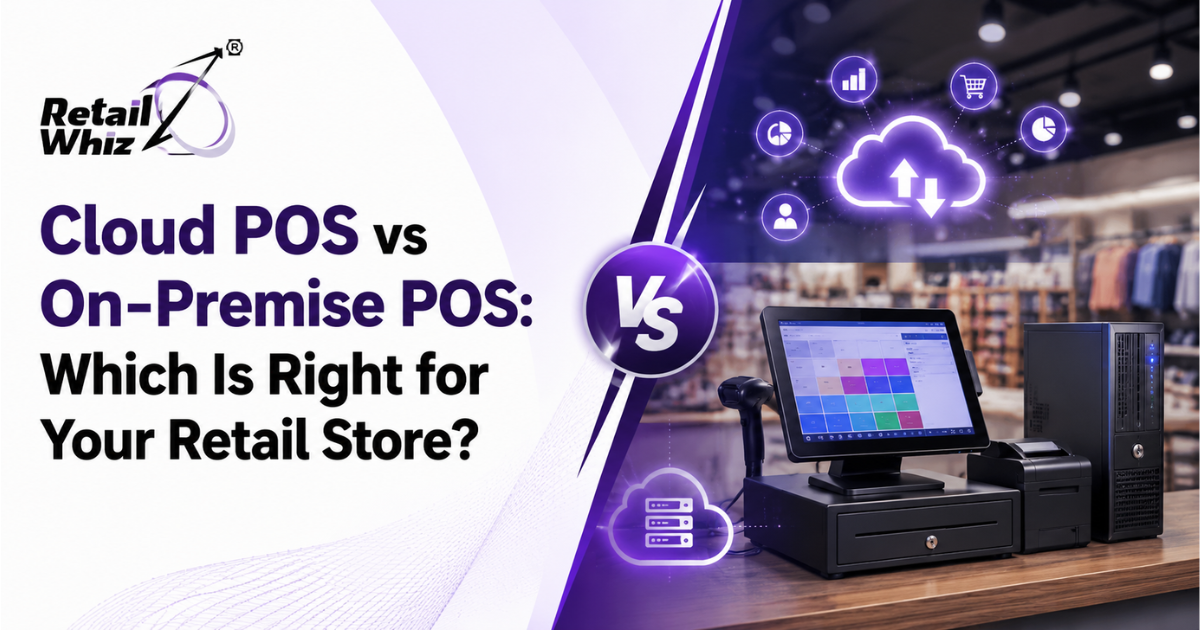
Choosing the right point-of-sale (POS) system is one of the most important technology decisions a retailer will make. It affects everything from daily checkout speed to long-term scalability, data security, and profitability. Among the biggest decisions retailers face today is whether to invest in a cloud POS system or stick with a traditional on-premise POS system.
Both options have transformed the way retail businesses manage billing, inventory, and customer data, but they work in fundamentally different ways. This blog breaks down the differences, advantages, disadvantages, and use cases of cloud POS vs on-premise POS, so you can make an informed decision for your retail store.
What Is a Cloud POS System?
A cloud POS system stores all your billing, inventory, and sales data on remote servers hosted by your software provider, accessible through the internet. Instead of installing software locally on a single computer, retailers can log in from any internet-connected device – a laptop, tablet, or even a smartphone – to manage operations.
Cloud POS solutions typically operate on a subscription-based (SaaS) pricing model, with the vendor handling maintenance, updates, and data backups on their end.
What Is an On-Premise POS System?
An on-premise POS system, sometimes called a legacy or local POS, is installed directly on a store’s local server or computer hardware. All data – sales transactions, inventory records, and customer information – is stored locally rather than on external servers.
This traditional setup requires retailers to purchase hardware, install software licenses, and often hire IT staff or vendors to maintain and troubleshoot the system on-site.
Key Differences Between Cloud POS and On-Premise POS
1. Cost Structure
On-premise POS systems usually require a larger upfront investment. Retailers must pay for software licenses, servers, and compatible hardware, along with periodic upgrade costs. While there’s no recurring subscription fee, the total cost of ownership can add up due to maintenance, IT support, and hardware replacement over time.
Cloud POS systems, on the other hand, typically follow a monthly or annual subscription model. This lowers the initial investment significantly, making it attractive for small and mid-sized retailers. Updates, security patches, and server maintenance are usually included in the subscription, reducing hidden costs.
2. Accessibility and Remote Management
This is where cloud POS systems have a clear advantage. Because data is hosted online, store owners and managers can access sales reports, inventory levels, and staff performance metrics from anywhere – whether they’re at home, traveling, or managing multiple store locations.
On-premise systems restrict access to the physical location where the server is installed, unless additional remote-access infrastructure is set up separately (which adds cost and complexity).
For retailers running a POS software setup across multiple outlets, this remote visibility can be a deciding factor.
3. Internet Dependency
On-premise POS systems generally continue to function even during internet outages since data is processed and stored locally. This can be an advantage for retailers in areas with unreliable internet connectivity.
Cloud POS systems depend on a stable internet connection for real-time syncing. However, most modern cloud POS providers now offer offline modes that allow billing to continue during outages, with data automatically syncing once the connection is restored.
4. Scalability
Retail businesses that plan to expand – whether by adding new locations, product lines, or sales channels – often find cloud POS systems easier to scale. Adding a new store or terminal typically just requires a new subscription seat, without additional hardware installations at a central server.
On-premise systems require additional servers and infrastructure investment for each new location, making multi-store expansion more expensive and time-consuming.
5. Data Security
Security is a major consideration for both models. On-premise systems keep data within the physical premises, which some retailers perceive as more secure since it isn’t transmitted externally. However, this also means the business is fully responsible for firewalls, backups, and disaster recovery.
Cloud POS providers typically invest heavily in enterprise-grade encryption, regular backups, and compliance with data protection standards, often exceeding what a single retail store could implement independently. That said, retailers should always verify a vendor’s security certifications and backup protocols before committing.
6. Maintenance and Updates
On-premise systems require manual updates, which can mean downtime during installation and dependency on IT vendors for troubleshooting. Bugs or compliance changes (such as new GST or tax rules) may take longer to implement.
Cloud POS systems are updated automatically by the provider, ensuring retailers always have the latest features, security patches, and compliance updates – such as GST filing changes – without manual intervention. This is particularly valuable for retailers who rely on ongoing GST & Compliance support to stay aligned with evolving tax regulations.
7. Integration with Other Retail Tools
Modern retail businesses rarely rely on POS software alone. Integrations with inventory management, loyalty programs, payment gateways, and analytics tools are essential for smooth operations.
Cloud POS systems are generally built with open APIs, making it easier to integrate with third-party tools, e-commerce platforms, and accounting software. On-premise systems can also integrate with other tools, but the process is often more complex and may require custom development work through retail software customisation and integration services.
Advantages of Cloud POS Systems
- Lower upfront investment and predictable subscription costs
- Access to real-time data from anywhere, ideal for multi-store retailers
- Automatic updates and reduced IT maintenance burden
- Easier scalability for growing retail chains
- Strong vendor-managed security and backup infrastructure
- Seamless integration with e-commerce, loyalty, and analytics tools
Advantages of On-Premise POS Systems
- No dependency on internet connectivity for daily transactions
- Full control over data storage location and infrastructure
- One-time licensing cost may be preferable for very small, single-location stores with long-term plans
- Perceived data control since everything stays on local servers
Which One Should You Choose?
The right choice between cloud POS and on-premise POS depends on your retail business’s size, growth plans, and operational priorities.
Choose Cloud POS if:
- You operate multiple stores or plan to expand
- You want real-time visibility into sales and inventory from anywhere
- You prefer predictable subscription costs over large upfront investments
- You want automatic compliance and software updates
- You rely on integrations with e-commerce, loyalty programs, or analytics tools
Choose On-Premise POS if:
- Your store operates in an area with unreliable internet access
- You run a single, standalone store with no expansion plans
- You have in-house IT resources to manage servers and maintenance
- Your business has strict internal policies requiring on-site data storage
For most growing retail businesses today – especially supermarkets, apparel stores, pharmacies, and multi-location chains – cloud POS systems offer greater flexibility, lower long-term costs, and better scalability. As retail continues to move toward omnichannel selling and real-time decision-making, cloud-based infrastructure is increasingly becoming the standard.
Making the Transition Smoothly
If you’re considering moving from an on-premise system to a cloud POS setup, planning is essential. This includes migrating historical sales and inventory data, training staff on the new system, and ensuring integrations with existing tools remain intact. Partnering with a provider that offers structured retail ERP implementation support can help minimize disruption during the switch and ensure your store stays operational throughout the transition.
Final Thoughts
There’s no one-size-fits-all answer when comparing cloud POS vs on-premise POS. Both systems serve different operational needs, and the right decision depends on your retail store’s size, budget, growth ambitions, and internet reliability. However, as retail operations become more data-driven and multi-channel, cloud POS systems are increasingly the preferred choice for retailers looking to scale efficiently while keeping costs predictable and operations flexible.
Before making a final decision, evaluate your current pain points – whether it’s high maintenance costs, limited remote access, or slow scalability – and choose the POS model that solves those challenges most effectively for your business.
Frequently Asked Questions (FAQs)
1. What is the main difference between cloud POS and on-premise POS?
Cloud POS stores data on remote servers accessible via the internet, while on-premise POS stores data locally on in-store hardware. This affects accessibility, cost structure, and maintenance requirements.
2. Is cloud POS more expensive than on-premise POS in the long run?
Not usually. While cloud POS involves recurring subscription fees, on-premise systems often have higher hidden costs from hardware upgrades, IT support, and manual maintenance over time.
3. Can cloud POS systems work without internet access?
Many modern cloud POS systems offer offline billing modes that allow transactions to continue during outages, automatically syncing data once connectivity is restored.
4. Is cloud POS safe for storing sensitive retail data?
Reputable cloud POS providers use enterprise-grade encryption, regular backups, and compliance measures that often exceed what individual retailers can implement with on-premise infrastructure alone.
5. Which POS system is better for a multi-store retail business?
Cloud POS is generally better suited for multi-store retailers, as it allows real-time access to sales and inventory data across all locations from a single dashboard, without needing separate servers at each site.