Running a retail business requires more than just processing sales. Retailers must manage inventory, track customer purchases, monitor stock levels, handle suppliers, oversee employees, and maintain financial records. As businesses grow, understanding the differences between retail ERP vs POS software becomes essential, as relying solely on manual processes or basic software can create operational challenges that affect efficiency and profitability.
This is where Retail ERP (Enterprise Resource Planning) and POS (Point of Sale) software come into the picture. Both solutions play important roles in retail management, but they serve different purposes. While POS software focuses on billing and customer transactions, Retail ERP provides a complete business management system that connects multiple departments and processes.
Many business owners struggle to determine whether they need a POS system, a Retail ERP solution, or a combination of both. Understanding the differences between these technologies is essential for making the right investment.
In this guide, we’ll compare Retail ERP and POS software, explore their features, benefits, limitations, and help you decide which solution best suits your business needs.
What is POS Software?
POS (Point of Sale) software is designed to facilitate customer transactions at retail stores. It acts as the central billing system where sales are processed, payments are accepted, and receipts are generated.
Modern POS software has evolved significantly beyond traditional cash registers. Today’s systems include inventory tracking, customer management, loyalty programs, and reporting capabilities.
Key Functions of POS Software
A POS system primarily handles front-end retail operations, including:
- Billing and invoicing
- Barcode scanning
- Payment processing
- Sales tracking
- Customer management
- Loyalty programs
- Returns and exchanges
- Basic inventory updates
POS software is often the first technology investment made by retail businesses because it directly impacts checkout speed and customer experience.
What is Retail ERP Software?
Retail ERP (Enterprise Resource Planning) software is a comprehensive business management solution that integrates multiple retail functions into a single platform.
Unlike POS software, which focuses mainly on sales transactions, ERP software manages both front-end and back-end operations. It provides a centralized system for inventory, purchasing, finance, supply chain, customer management, employee management, and business analytics.
Retail ERP helps retailers gain complete visibility into business performance across departments and locations.
Key Functions of Retail ERP Software
Retail ERP solutions typically include:
- Inventory management
- Purchase management
- Warehouse management
- Financial accounting
- GST compliance
- CRM and customer management
- Vendor management
- Multi-store operations
- Supply chain management
- Business intelligence and reporting
Retail ERP serves as the operational backbone of a retail business.
Understanding the Core Difference Between ERP and POS
Many retailers assume ERP and POS software are interchangeable. In reality, they address different business requirements.
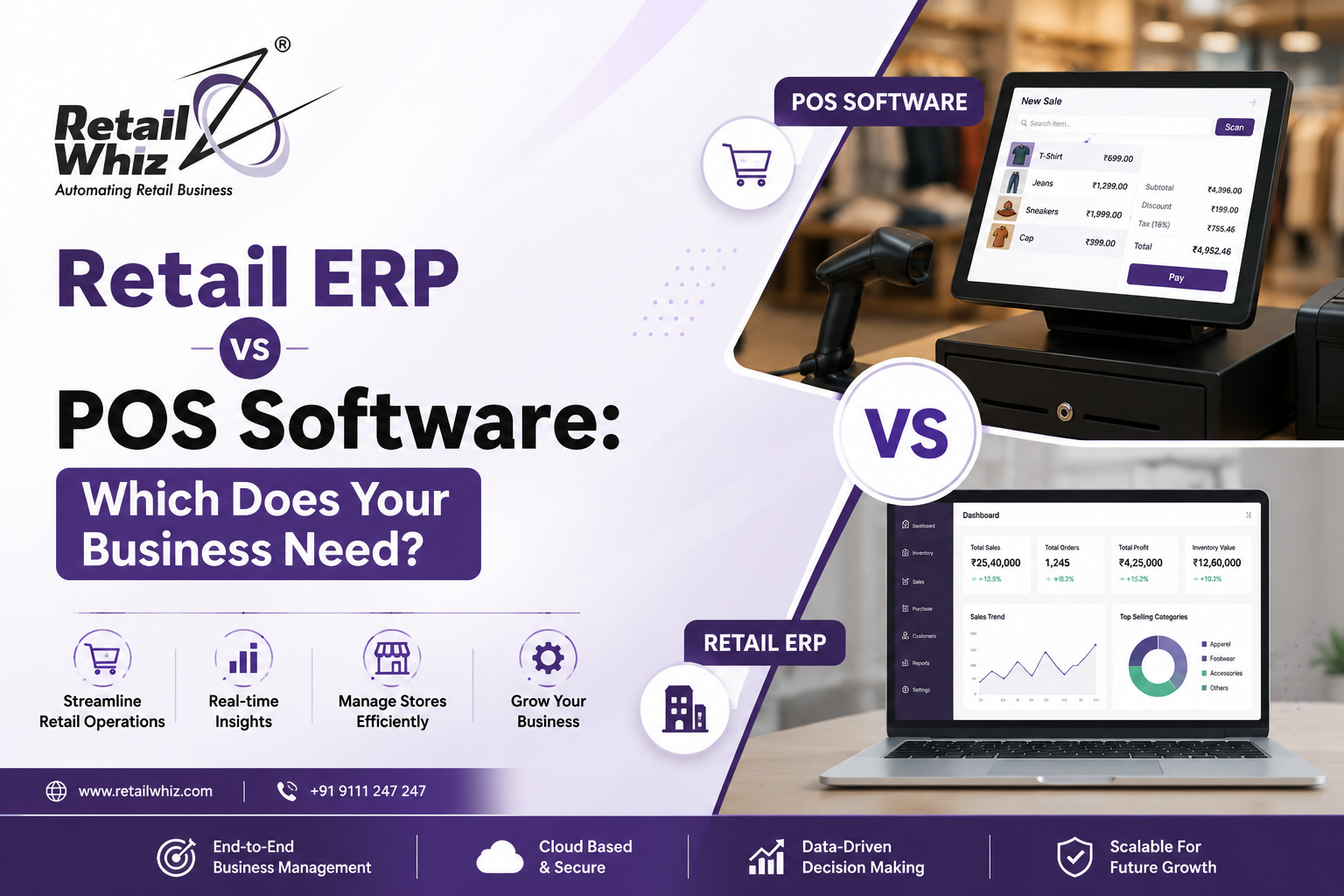
A POS system is designed to facilitate sales transactions and customer interactions. Retail ERP software manages the broader business ecosystem, including inventory planning, procurement, finance, and operational workflows.
Think of it this way:
- POS manages the checkout counter.
- ERP manages the entire business.
While POS focuses on selling products, ERP focuses on running the business efficiently.
Retail ERP vs POS Software: Feature Comparison
The easiest way to understand the difference is through a side-by-side comparison.
| Feature | POS Software | Retail ERP Software |
| Billing & Invoicing | ✔️ | ✔️ |
| Barcode Scanning | ✔️ | ✔️ |
| Payment Processing | ✔️ | ✔️ |
| Inventory Management | Basic | Advanced |
| Purchase Management | Limited | ✔️ |
| Warehouse Management | Limited | ✔️ |
| Financial Accounting | Basic | Advanced |
| GST Compliance | ✔️ | ✔️ |
| CRM | Basic | Advanced |
| Vendor Management | ❌ | ✔️ |
| Multi-Store Management | Limited | ✔️ |
| Supply Chain Management | ❌ | ✔️ |
| Employee Management | Limited | ✔️ |
| Business Analytics | Basic | Advanced |
| Demand Forecasting | ❌ | ✔️ |
The comparison clearly shows that ERP software offers broader operational capabilities, while POS software focuses on transactional activities.
Benefits of POS Software
POS software remains an essential tool for retailers because it improves customer-facing operations.
- Faster Checkout Process: POS systems streamline billing through barcode scanning and automated invoice generation, reducing customer wait times.
- Improved Customer Experience: Quick transactions and multiple payment options enhance customer satisfaction.
- Sales Tracking: Retailers can monitor daily sales, top-performing products, and transaction history.
- Easy Inventory Updates: Each sale automatically updates inventory records, helping businesses maintain stock accuracy.
- Loyalty Program Management: Many POS solutions support customer rewards and promotional campaigns.
- Simplified GST Billing: POS software automatically calculates taxes and generates GST-compliant invoices.
Benefits of Retail ERP Software
Retail ERP provides advantages that extend beyond the checkout counter.
- Centralized Business Management: ERP software brings inventory, finance, purchasing, sales, and customer management into one platform.
- Better Inventory Control: Advanced inventory tracking minimizes stock shortages and excess inventory.
- Improved Financial Visibility: Retailers gain access to real-time financial reports and profitability analysis.
- Streamlined Procurement: ERP systems automate purchase planning and vendor management.
- Enhanced Decision-Making: Comprehensive reporting helps business owners identify trends and opportunities.
- Multi-Store Coordination: Businesses can monitor all branches from a centralized dashboard.
- Scalability
ERP systems support business expansion without operational complexity.
When is POS Software Enough?
Not every retail business requires a full ERP system.
POS software may be sufficient if:
- You operate a single retail store.
- Inventory levels are relatively simple.
- You have limited staff.
- Purchasing processes are straightforward.
- Financial management is handled separately.
- Business operations are not highly complex.
Examples
- Small grocery stores
- Boutique shops
- Mobile accessory stores
- Local gift shops
- Small electronics retailers
For these businesses, a modern POS system can effectively manage daily operations.
When Does Your Business Need Retail ERP?
As businesses grow, operational complexity increases. This is where ERP becomes necessary.
Retail ERP is often the better choice if:
- You manage multiple store locations.
- Inventory involves thousands of SKUs.
- You require centralized purchasing.
- Financial reporting is becoming complex.
- Multiple departments need coordination.
- Supply chain management is critical.
- Business growth is a priority.
Examples
- Supermarkets
- Fashion retail chains
- Electronics retailers
- Pharmacy chains
- Department stores
- Wholesale and distribution businesses
ERP software provides the visibility and control required to manage larger operations effectively.
Retail ERP vs POS: Cost Comparison
Cost is often a major factor when selecting software.
POS Software Costs
POS systems generally have lower implementation costs.
Expenses may include:
- Software subscription
- Billing hardware
- Barcode scanners
- Receipt printers
- Payment terminals
POS solutions are usually affordable for small and medium retailers.
Retail ERP Costs
ERP software involves higher investment because of its broader functionality.
Costs may include:
- Software licensing
- Implementation services
- Data migration
- Employee training
- Customization
- Ongoing support
Although ERP requires a larger investment, it often delivers substantial long-term efficiency gains.
Can ERP and POS Work Together?
Yes, Many modern retail businesses use both systems together.
In fact, the most effective retail technology ecosystems integrate POS functionality within a larger ERP platform.
How Integration Works
When a customer makes a purchase:
- POS records the transaction.
- Inventory levels update automatically.
- ERP updates financial records.
- Customer profiles are updated.
- Reports reflect real-time data.
- Replenishment workflows can be triggered.
This integration eliminates duplicate data entry and improves operational visibility.
Challenges of Using Only POS Software
While POS software is valuable, relying solely on it can create limitations as a business grows.
Common Challenges
- Limited inventory visibility
- Separate accounting systems
- Lack of supply chain management
- Restricted reporting capabilities
- Difficulty managing multiple stores
- Manual coordination between departments
These challenges often lead retailers to adopt ERP solutions later.
Challenges of Implementing ERP Software
ERP software offers extensive benefits but also requires careful planning.
Common Challenges
- Higher initial costs
- Longer implementation timelines
- Employee training requirements
- Data migration complexity
- Process standardization
Businesses should evaluate readiness before investing in ERP.
Key Questions to Ask Before Choosing
Before selecting a solution, retailers should answer the following questions:
How many stores do you operate?
Single-store businesses may only need POS software.
How complex is your inventory?
Large product catalogs often require ERP-level inventory management.
Do you need centralized reporting?
ERP provides broader business visibility.
Are you planning to expand?
Scalable solutions support future growth.
How important is automation?
ERP systems automate many operational processes beyond billing.
What is your budget?
The right solution should balance functionality with affordability.
Retail ERP and POS Trends for 2026
Retail technology continues to evolve, and software platforms are becoming more integrated.
Key trends include:
- Cloud-based retail management
- Mobile POS systems
- Unified commerce platforms
- Real-time inventory visibility
- Automated purchasing workflows
- Customer analytics integration
- Omnichannel retail management
- AI-assisted forecasting and reporting
As these technologies mature, the distinction between POS and ERP continues to narrow, with many vendors offering integrated solutions.
Why Growing Retailers Prefer Integrated Retail Platforms
Many retailers initially adopt POS software and later discover the need for broader operational control.
Integrated retail platforms combine:
- POS billing
- Inventory management
- CRM
- GST compliance
- Procurement
- Finance management
- Multi-store operations
- Reporting and analytics
This unified approach reduces software fragmentation and improves operational efficiency.
For growing retailers, an integrated platform often delivers greater value than maintaining separate systems.
How Retailwhizz Bridges the Gap Between ERP and POS
Retailwhizz combines the advantages of both ERP and POS software within a single retail management platform.
Key capabilities include:
- GST-compliant billing
- Fast POS transactions
- Advanced inventory management
- Customer loyalty management
- Multi-store operations
- Purchase and supplier management
- Business reporting and analytics
- Cloud-based accessibility
This allows retailers to manage both customer-facing and operational processes without switching between multiple systems.
Conclusion
The choice between Retail ERP and POS software depends largely on your business size, operational complexity, and growth objectives.
POS software is ideal for retailers seeking efficient billing, faster checkouts, and basic inventory management. It serves as an excellent solution for small and single-location businesses.
Retail ERP software goes much further by integrating inventory, finance, purchasing, supply chain management, customer relationships, and business analytics into a centralized platform. It is particularly valuable for growing retailers and multi-store operations.
Rather than viewing ERP and POS as competing technologies, businesses should consider how they work together. Many successful retailers use integrated solutions that combine the strengths of both systems.
By carefully evaluating your current requirements and future growth plans, you can select a solution that not only supports day-to-day operations but also positions your business for long-term success.