Running a retail store today is very different from running one even five years ago. Customers shop in stores, on mobile apps, and on marketplaces. Suppliers expect faster orders. GST rules demand accurate records. Margins are tighter than ever.
Many retailers still depend on spreadsheets, standalone billing tools, and handwritten registers to keep up. That setup works for a while, but at some point it begins to cost you money, time, and customers.
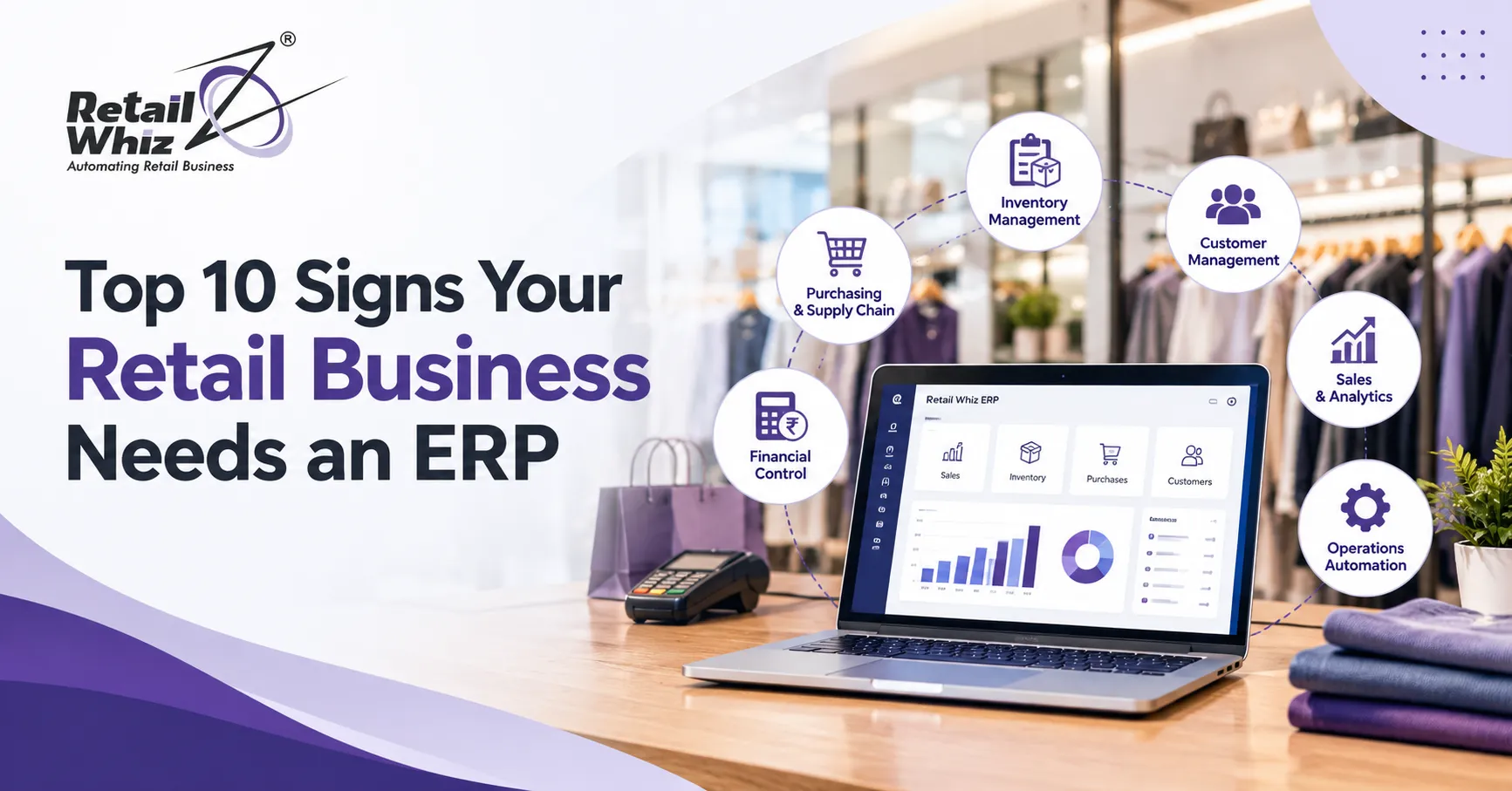
This is where retail ERP software comes in. An ERP (Enterprise Resource Planning) system connects billing, inventory, purchasing, accounting, customer data, and reporting in one platform. Instead of juggling five tools, you work from a single source of truth.
How do you know it is time to make the switch? Here are the top 10 signs your retail business needs an ERP.
1. Your Stock Numbers Never Match Reality
If the system says you have 40 units of a product but the shelf holds 22, you have an inventory problem. Stockouts, overstocking, and “ghost inventory” are among the most common signs that manual tracking has stopped working.
Poor stock visibility leads to lost sales on fast-moving items and cash locked up in slow-moving ones. A modern retail ERP system updates stock in real time after every sale, return, and purchase. With dedicated inventory management software, you can track batches, expiry dates, barcodes, and reorder levels without counting everything by hand.
If your team spends days on physical stock audits and still cannot trust the numbers, an ERP should be your next investment.
2. You Rely on Spreadsheets for Almost Everything
Spreadsheets are great for quick calculations. They are not built to run an entire retail operation. When your sales, purchase, and stock data live in different files, mistakes are almost guaranteed.
Common spreadsheet problems include:
- Duplicate or outdated entries
- Broken formulas that nobody notices
- Version confusion when several people edit the same file
- No audit trail to show who changed what
An ERP for retail business replaces scattered files with a centralized database. Everyone works with the same updated information, which reduces errors and saves hours of reconciliation every week.
3. Managing Multiple Stores Has Become a Headache
Opening your second or third outlet is exciting, until you realize you cannot see what is happening in each one without making phone calls. Stock transfers get delayed. Pricing differs from store to store. Promotions are applied inconsistently.
Effective multi-store retail management needs centralized control. With an ERP, you can set prices and offers once and push them to every outlet. You can transfer stock between branches, compare store performance, and view consolidated sales from a single dashboard.
If you are expanding or planning to, an ERP is not a luxury. It is the foundation that keeps growth from turning into chaos.
4. Billing Is Slow and Checkout Queues Keep Growing
Long queues frustrate shoppers, and many will simply walk out. If your billing system freezes, crashes, or needs manual price lookups, your checkout speed is hurting your revenue.
Modern ERP platforms include integrated POS software that supports barcode scanning, multiple payment modes, quick returns, discounts, and instant invoice printing. Because the POS is directly connected to inventory and accounting, every transaction updates your records automatically.
Faster billing improves the customer experience and reduces the burden on your counter staff, especially during festive seasons and sale periods.
5. GST Compliance Takes Too Much Time and Effort
In India, accurate GST billing is not optional. Wrong HSN codes, mismatched invoices, and delayed filings can lead to notices and penalties. If your accountant spends days at the end of each month fixing data before filing returns, your system is not helping you.
A good ERP software India retailers can rely on includes built-in GST billing software features. It applies the correct tax rates, generates compliant invoices, supports e-invoicing, and prepares data for returns automatically. This cuts manual work and lowers the risk of costly errors.
6. You Cannot Get Reports When You Need Them
Can you instantly answer these questions?
- Which products earned the highest margin last month?
- Which store is underperforming?
- Which items have not sold in 90 days?
- What is the average basket value per customer?
If getting answers takes hours of manual work, you are making decisions in the dark. Retail runs on timely data. An ERP delivers real-time dashboards and reports on sales, stock, profit, staff performance, and customer behavior.
7. Decision-Making Relies on Guesswork Instead of Analytics
Reports tell you what happened. Analytics tell you why it happened and what to do next. If your pricing, purchasing, and promotion decisions are based on instinct, you are likely leaving money on the table.
Strong MIS and analytics tools inside an ERP help you spot trends, identify bestsellers, forecast demand, and reduce dead stock. For example, you can see which products sell together and plan combo offers, or detect seasonal patterns to buy smarter.
Retailers who use data well tend to grow faster and waste less. If you want those insights without building complex spreadsheets, it is time to move to an ERP.
8. Purchasing and Supplier Management Are Disorganized
Do you often reorder too late, order too much, or forget to track pending deliveries? Manual purchase processes lead to supply gaps, delayed payments, and strained supplier relationships.
A retail ERP system automates the purchase cycle. It can suggest reorder quantities based on sales history, create purchase orders, track goods received, match invoices, and monitor supplier performance. You also get a clearer view of your payables and cash flow.
Better procurement means fewer stockouts, better negotiating power, and healthier margins.
9. Customer Data Is Scattered and Loyalty Programs Are Weak
Repeat customers are the most profitable ones. Yet many retailers have no reliable record of who buys what, how often, or how much they spend.
An ERP stores customer purchase history in one place. That allows you to run loyalty programs, send personalized offers, reward high-value shoppers, and bring back customers who have gone quiet. Instead of broad discounts that cut into your profit, you can target the right people with the right incentives.
If your customer information sits in notebooks, phone contacts, or separate apps, you are missing a major growth lever.
10. Your Business Is Growing but Your Systems Are Not
This might be the clearest sign of all. More products, more customers, more staff, and more outlets all mean more complexity. If your current tools were fine at 100 transactions a day but struggle at 1,000, they will not carry you to the next stage.
Other warning signs include frequent system errors, staff working late to fix data, and an inability to integrate with payment gateways, accounting tools, or e-commerce platforms. An ERP is built to scale. You can add users, stores, products, and integrations without rebuilding your processes from scratch.
Key Benefits of Moving to a Retail ERP
Once you recognize these signs, the benefits of acting are easy to see:
- Accurate, real-time inventory that reduces stockouts and overstocking
- Faster billing and shorter checkout queues
- Simplified GST compliance and fewer errors
- Centralized control across all your stores
- Better decisions through live reports and analytics
- Higher customer loyalty through personalized engagement
- Lower operating costs thanks to automation
How to Get Started with a Retail ERP
Choosing the right system matters as much as deciding to buy one. Start by listing your biggest pain points, such as stock accuracy, billing speed, or compliance. Then look for a solution built specifically for retail, with strong POS, inventory, and reporting features.
Just as important is the rollout. A smooth setup, proper data transfer, and staff training decide whether your ERP delivers value or sits unused. Working with an experienced partner for retail ERP implementation helps you go live faster and avoid costly mistakes.
Final Thoughts
If you recognized your business in several of these signs, the message is clear. Your current tools are no longer keeping up with your ambitions. The right retail ERP software gives you control over inventory, billing, compliance, and customers, so you can focus on growing instead of firefighting.
The sooner you replace manual processes with an integrated system, the sooner you will see better margins, happier customers, and smoother operations.
Frequently Asked Questions (FAQs)
1. What is retail ERP software?
Retail ERP software is a unified platform that manages core retail operations, including POS billing, inventory, purchasing, accounting, GST compliance, customer management, and reporting. It gives retailers one connected system instead of several disconnected tools.
2. When should a retail business switch to an ERP?
You should consider an ERP when you face frequent stock mismatches, slow billing, GST filing stress, difficulty managing multiple stores, or limited visibility into sales and profit. Growing businesses benefit from switching early, before problems become expensive.
3. Is ERP only for large retail chains?
No. Modern ERP systems suit small shops, supermarkets, boutiques, and multi-store chains alike. Many solutions are scalable, so you can start with the modules you need and add more as your business grows.
4. How is a retail ERP different from basic billing software?
Basic retail billing software mainly creates invoices. A retail ERP goes further by linking billing with inventory, purchasing, accounting, loyalty, compliance, and analytics. Every sale updates every relevant record automatically.
5. How long does it take to implement a retail ERP system?
Timelines depend on business size, number of stores, and the amount of data to migrate. Small setups can go live in a few weeks, while multi-store rollouts take longer. Good planning, data migration, and staff training help keep the process smooth.