Retail businesses today juggle inventory across multiple stores, online channels, warehouses, and suppliers – all while trying to keep customers happy and costs low. Manual processes and disconnected software simply can’t keep up. This is where a retail ERP system becomes essential.
Implementing an ERP system for retail business operations isn’t just about buying software – it’s about transforming how your entire organization works. A poorly planned rollout can lead to wasted budgets, employee frustration, and operational chaos. A well-executed one can streamline inventory management, boost sales visibility, and give you real-time control over your business.
In this guide, we’ll walk through exactly retail erp system implementation, step by step, so you can avoid common pitfalls and get the most value from your investment.
What Is a Retail ERP System?
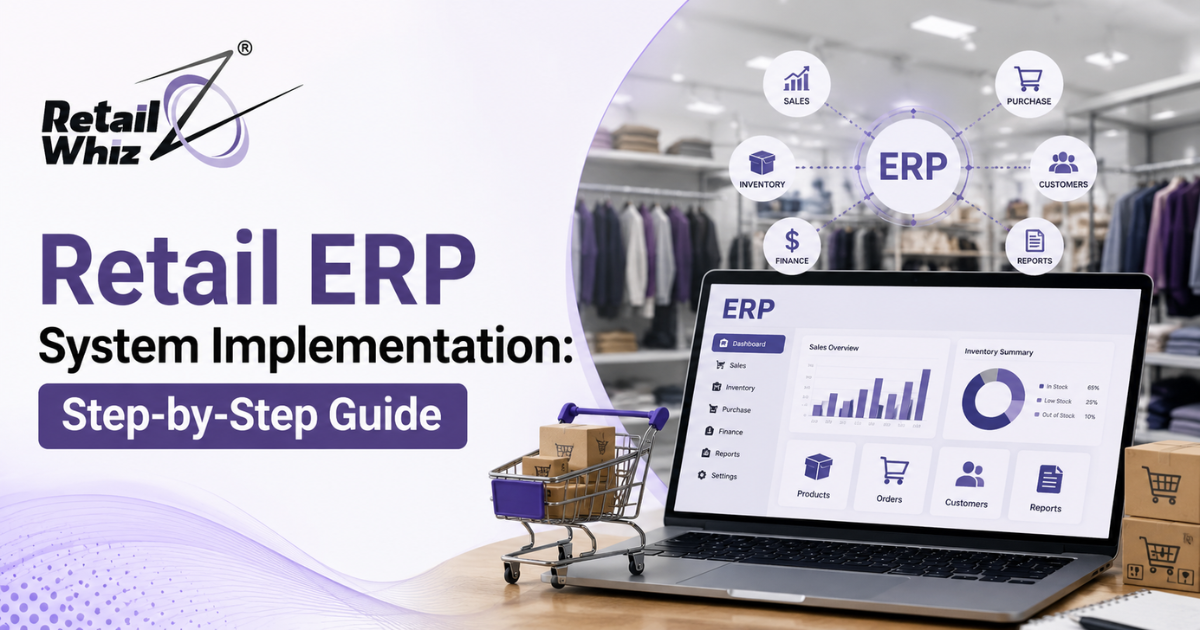
A retail ERP (Enterprise Resource Planning) system is a centralized software platform that integrates core retail functions – inventory management, point of sale (POS), supply chain, accounting, customer relationship management (CRM), and e-commerce – into one unified system.
Instead of using separate tools for billing, stock tracking, and reporting, a retail ERP software solution connects everything, giving business owners a single source of truth for decision-making.
Key Benefits of Retail ERP Software
- Real-time inventory visibility across stores and warehouses
- Centralized data for accurate reporting and forecasting
- Improved customer experience through faster checkout and personalized service
- Reduced operational costs by eliminating manual, repetitive tasks
- Seamless omnichannel retail management across online and offline sales
- Better supply chain and vendor coordination
Step 1: Define Your Business Goals and Requirements
Before evaluating any ERP software for retail business, identify what problems you’re trying to solve. Ask yourself:
- Is inventory management your biggest pain point?
- Do you need better multi-store or multi-channel integration?
- Are you struggling with financial reporting or tax compliance?
- Do you want to unify your online and offline retail operations?
Document these requirements clearly. This becomes your evaluation checklist when comparing ERP vendors and ensures the system you choose actually solves your business challenges – not someone else’s.
Step 2: Choose the Right Retail ERP Software
Not all ERP systems for retail are built the same. When selecting a retail management software solution, evaluate vendors based on:
- Industry-specific features (POS integration, barcode scanning, loyalty programs)
- Scalability – can it grow with your business?
- Cloud vs. on-premise deployment options
- Integration capabilities with existing tools (accounting software, e-commerce platforms, payment gateways)
- Ease of use for non-technical staff
- Vendor support and training resources
- Total cost of ownership, including licensing, implementation, and maintenance
Request demos, read case studies, and talk to existing customers before making a final decision.
Step 3: Build a Dedicated Implementation Team
Successful retail ERP implementation requires more than IT involvement. Build a cross-functional team that includes:
- A project manager to oversee timelines and budgets
- IT staff for technical configuration and integration
- Store managers and operations staff who understand day-to-day workflows
- Finance representatives to ensure accounting accuracy
- A vendor implementation partner or consultant, if needed
Assign clear roles and responsibilities from day one to avoid confusion later in the process.
Step 4: Plan Data Migration Carefully
Retail data migration is one of the most critical – and riskiest – stages of ERP implementation. Poorly migrated data leads to inventory mismatches, pricing errors, and reporting inaccuracies.
Best practices for smooth data migration include:
- Audit existing data for accuracy and remove duplicates or outdated records
- Standardize data formats (SKUs, product categories, customer records)
- Run test migrations in a sandbox environment before going live
- Validate migrated data with your team before final cutover
- Back up all original data before migration begins
Step 5: Customize and Configure the System
Every retail business has unique workflows. Configure your ERP system to match your operations, including:
- Setting up product catalogs and pricing rules
- Configuring tax rates and regional compliance settings
- Customizing dashboards and reports for different user roles
- Integrating POS systems, e-commerce platforms, and payment gateways
- Setting up user permissions and access controls
Avoid over-customizing the system, as excessive modifications can complicate future upgrades and increase costs.
Step 6: Test the System Thoroughly
Before going live, run comprehensive testing to catch issues early. This includes:
- Functional testing – does each module work as expected?
- Integration testing – do connected systems (POS, e-commerce, accounting) sync correctly?
- User acceptance testing (UAT) – can staff complete real-world tasks smoothly?
- Load testing – can the system handle peak transaction volumes (e.g., holiday sales)?
Involve actual end users in testing, since they’re most likely to catch practical, real-world issues.
Step 7: Train Your Employees
Even the best retail ERP software fails if employees don’t know how to use it. Invest in structured training that covers:
- Basic navigation and daily tasks (billing, inventory checks, order processing)
- Role-specific training for managers, cashiers, and warehouse staff
- Troubleshooting common issues
- Ongoing refresher sessions after go-live
Create simple reference guides or video tutorials so employees can revisit training material as needed.
Step 8: Go Live with a Phased Rollout
Rather than switching everything overnight, consider a phased ERP rollout strategy:
- Start with one store or department as a pilot
- Monitor performance and gather feedback
- Resolve issues before expanding to other locations
- Gradually roll out to all stores and channels
A phased approach minimizes disruption and gives your team time to adapt without overwhelming operations.
Step 9: Monitor Performance and Optimize
Once live, ERP implementation isn’t over – it’s an ongoing process. Regularly:
- Track key performance indicators (KPIs) like inventory turnover, order accuracy, and checkout speed
- Gather employee and customer feedback
- Schedule regular system updates and maintenance
- Review workflows periodically to identify further optimization opportunities
Common Retail ERP Implementation Challenges (and How to Avoid Them)
| Challenge | Solution |
| Employee resistance to change | Involve staff early and provide thorough training |
| Data migration errors | Audit and test data before go-live |
| Scope creep and budget overruns | Set clear project boundaries and timelines |
| Poor vendor support | Choose vendors with strong post-implementation support |
| Underestimating training time | Build a realistic training schedule into your project plan |
Conclusion
Implementing a retail ERP system is a significant undertaking, but with careful planning, the right software partner, and a structured rollout strategy, it can transform how your retail business operates – improving efficiency, accuracy, and customer satisfaction across every channel.
If you’re looking for a reliable, retail-focused ERP solution built to simplify inventory management, streamline operations, and support omnichannel growth, Retailwhizz offers a purpose-built platform designed specifically for retail businesses. With the right approach and the right technology partner like Retailwhizz, your ERP implementation can become a long-term competitive advantage rather than just another software project.
Frequently Asked Questions (FAQs)
1. What is the average cost of implementing a retail ERP system?
Costs vary widely based on business size, number of stores, and features required, ranging from a few thousand dollars for small businesses to significant six-figure investments for large retail chains. Cloud-based ERP solutions typically have lower upfront costs than on-premise systems.
2. How long does it take to implement a retail ERP system?
Implementation timelines typically range from 3 to 12 months, depending on business complexity, the number of locations, data migration needs, and customization requirements.
3. What is the difference between retail ERP and POS software?
POS (Point of Sale) software focuses on processing transactions at checkout, while retail ERP software integrates POS with inventory, accounting, supply chain, and CRM functions into one unified system.
4. Can small retail businesses benefit from ERP systems?
Yes, Many modern ERP solutions offer scalable, cloud-based options specifically designed for small and mid-sized retailers, making enterprise-level features affordable and accessible.
5. What are the biggest risks in ERP implementation?
Common risks include poor data migration, inadequate employee training, unclear project scope, and choosing software that doesn’t align with actual business needs. Careful planning and phased rollouts help mitigate these risks.
6. Should I choose a cloud-based or on-premise retail ERP system?
Cloud-based ERP systems offer lower upfront costs, easier scalability, and remote accessibility, making them ideal for most modern retailers. On-premise systems may suit businesses with specific data security or compliance requirements.
7. How do I measure ERP implementation success?
Track KPIs such as inventory accuracy, order fulfillment speed, reporting efficiency, employee adoption rates, and overall reduction in manual errors before and after implementation.